
Sublet Vendor Bills in Molo help you track third-party work (sublet) on service jobs while keeping your Vendor Bills, invoices, and reporting in sync.
Note: This feature is rolled out via feature flags and may not be enabled for all marinas yet. If you’d like to use Sublet Vendor Bills, please contact Storable Support.
1. What is a Sublet Vendor Bill?
A sublet is work performed by a third-party vendor (e.g., outside mechanic, specialty yard) that you pass through to the customer.
With Sublet Vendor Bills enabled:
You can add Sublet items to a service job in Molo.
Molo can automate the creation and linking of Vendor Bills for those sublet items.
You can control how (or whether) those sublet vendor bills are reflected on customer invoices.
2. Where sublets appear in Molo
Depending on your configuration, you may see:
A Sublet section on work order jobs (SV_Job) where sublet items are managed.

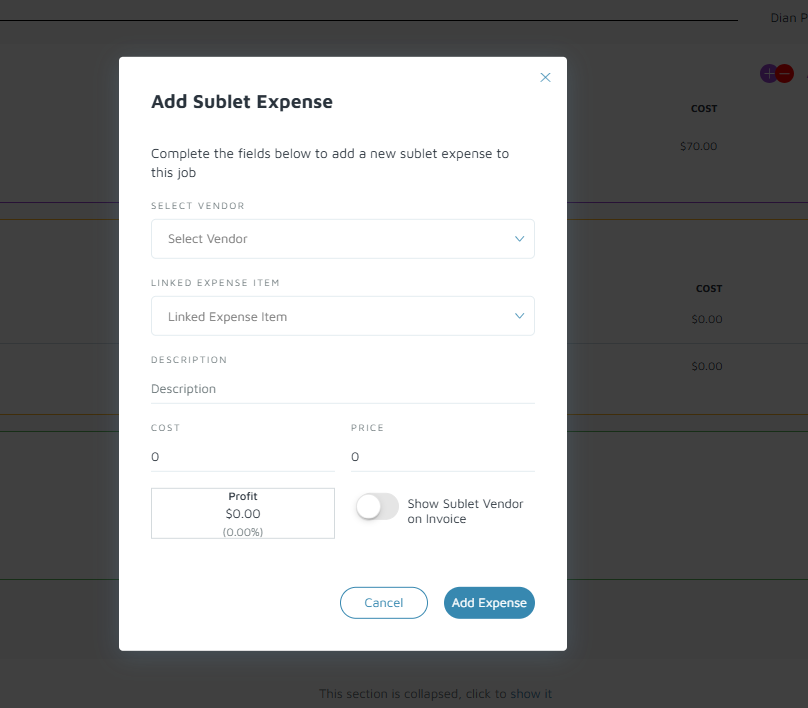
A dedicated Sublet section in the Molo Employee / Mobile app so technicians or service writers can record sublet work from the field.
Automation that creates or updates Vendor Bills when sublet items are added, changed, or removed, including when a sublet is deleted and its associated vendor bill needs to stay in sync.
3. How Sublet Vendor Bills behave on invoices
The sublet feature includes controls that determine how sublet Vendor Bills appear (or are hidden) from customer-facing invoices and printed/email outputs:
Configuration to hide or show Sublet Vendor Bills on invoices (e.g., hide internal sublet details while still charging the customer the appropriate amount).
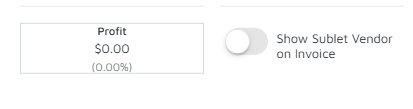
Updates to prints and emails for work orders so sublet sections render correctly based on your configuration.
Because this is a complex area that touches Service, Vendor Bills, and accounting, we strongly recommend aligning with your accountant on:
Which portions of sublet cost you pass through directly to the customer.
Whether any margin is added, and how that should appear on the invoice.
How to handle sublets that are internal vs. external (third-party).
4. High-level workflow with Sublet Vendor Bills
A typical workflow might look like:
Create or open a work order job in Molo.
In the Sublet section, add the sublet item(s) to the job (vendor, description, cost, etc.).
When you’re ready, submit the sublet Vendor Bill (following your PO/VB process).
Molo links the Sublet item & Vendor Bill so that:
Inventory and cost-of-goods are updated appropriately.
The job and invoice reflect the correct sublet charges based on your configuration.
If a sublet is removed, Molo updates the associated Vendor Bill according to the current behavior (e.g., delete/update rules defined in your configuration).
5. Known limitations and related behavior
Submitted Vendor Bills (including sublets) cannot be deleted; see “Molo: Why Submitted Vendor Bills Cannot Be Deleted” for details and workarounds.
Sublet Vendor Bills rely on the broader PO/VB/BR architecture; ensure your PO and Vendor Bill workflows are already in a good state before heavily using sublets.