
Problem Description
- "Please add this new Netsuite GL Code to all locations."
Resolution Steps
- On the left menu, navigate to Admin Settings > Accounting > GL Codes.
- Click New GL Code.
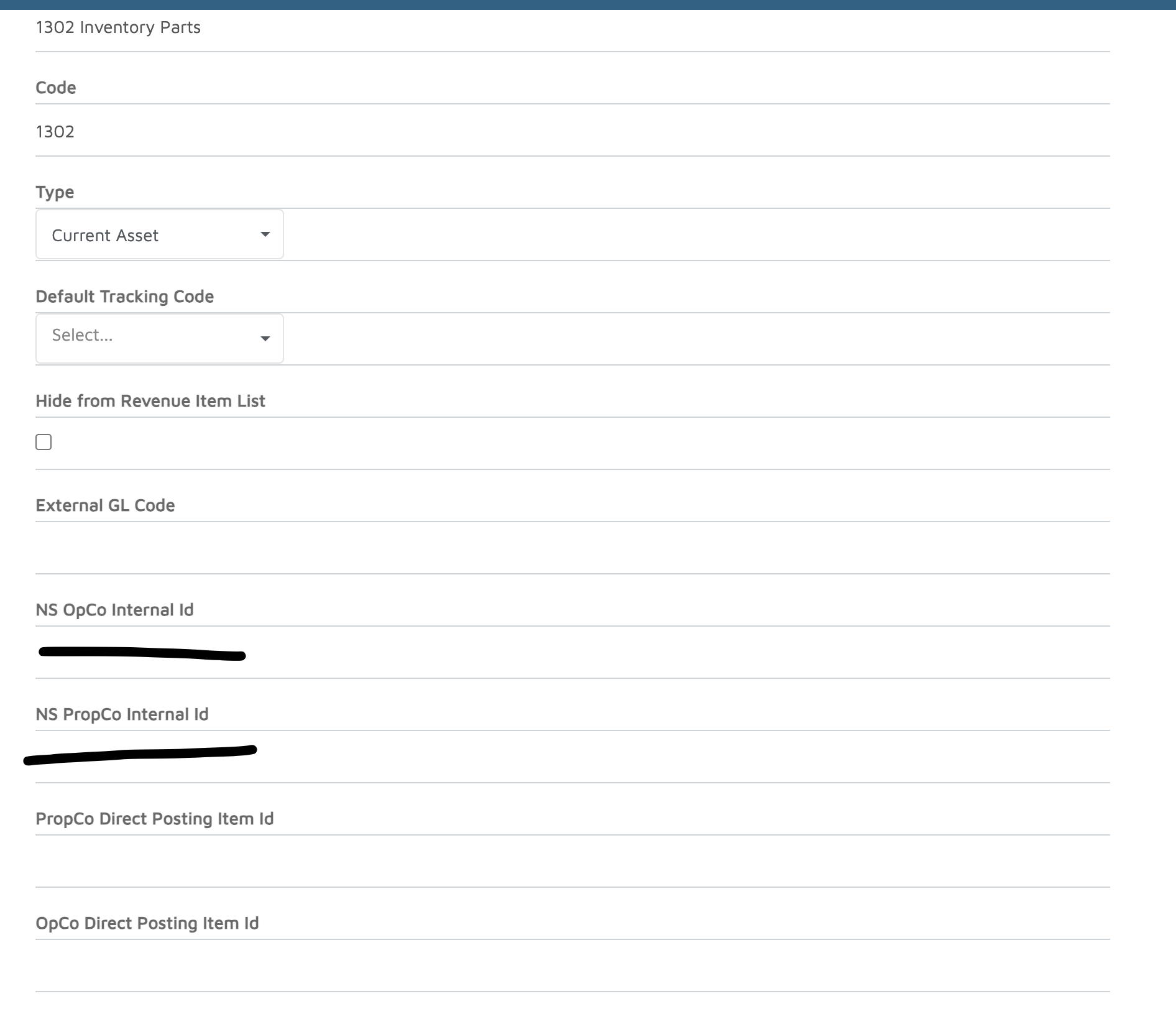
- Populate all the necessary fields to create the GL.
- For the Opco and Propco fields, use the internal id from the ERP system (e.g. Netsuite Internal ID).
- Click Done.
Verification: The GL code appears in Admin Settings > Accounting > GL Codes.
Cause
- New Netsuite GL code required for ERP-integrated marina locations.
Applicable Workarounds
- If access to Admin Settings > Accounting > GL Codes is restricted, contact an administrator with the appropriate permissions to add the GL code.
Additional Information
- This feature was part of the 2026-04-29 release.