
- "I need to securely store and verify a bank account for ACH payments."
- "How do I add bank accounts to my customer accounts?"
Molo supports storing one or multiple bank accounts securely so that you can take payments and deposits using bank accounts via ACH. This is currently only supported for US-based marinas.
- Store a Bank Account
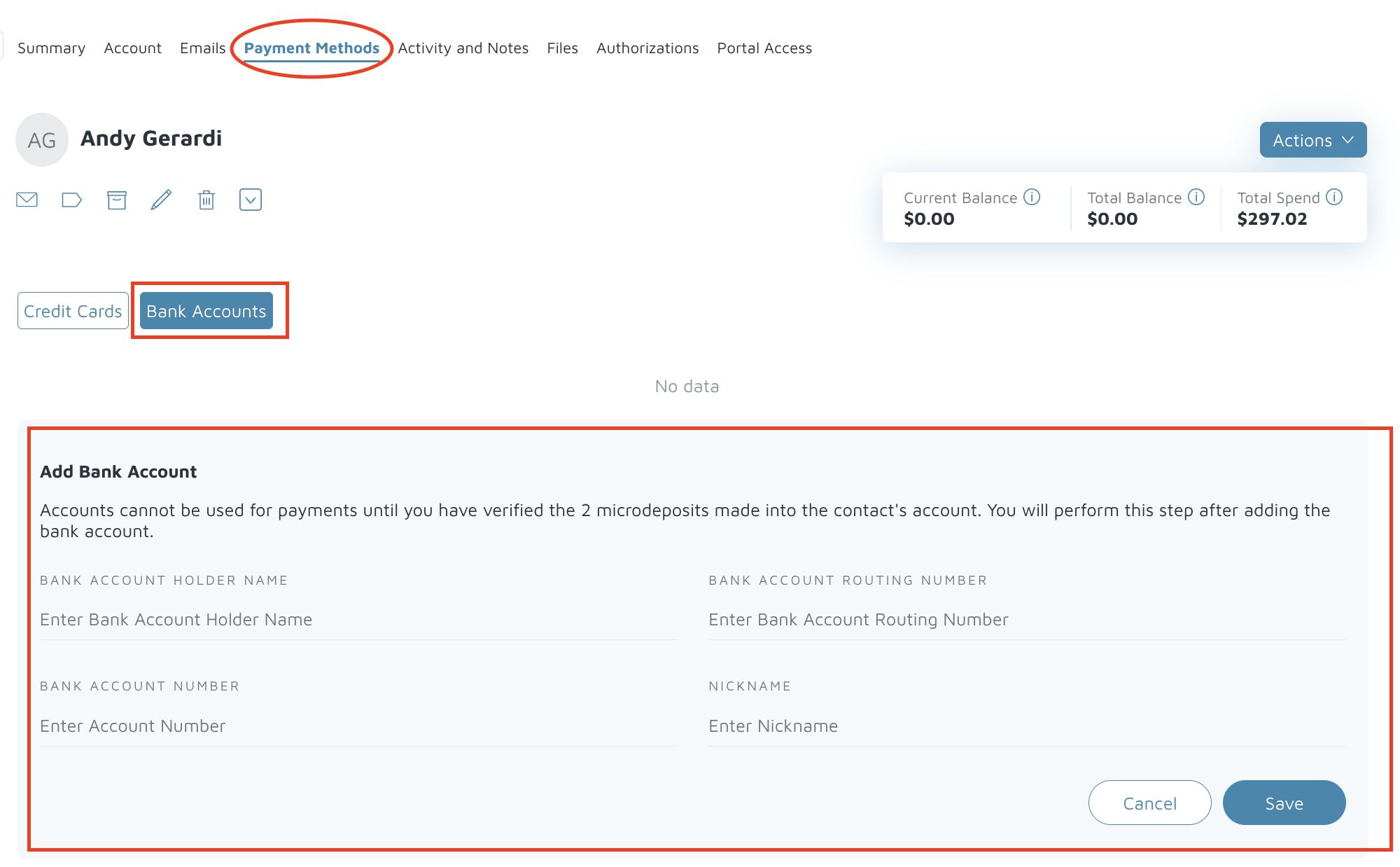
- Navigate to the contact’s profile and select Payment Methods → Bank Account.
- Click Add New Bank Account.
- Enter the required details: Account Holder Name, Routing Number, and Account Number.
- Nickname is optional to help identify the account internally; the bank name (like “Wells Fargo”) will display automatically.

- Verify the Bank Account
- On the contact’s Payment Methods screen, click Verify Account next to the stored bank account.
- Molo will send two microdeposits (each less than $1.00) to the customer’s account. For example, the amounts might be 2¢ and 20¢.
- Wait for 24–48 hours for the deposits to appear.
- Enter the two amounts without dollar signs or decimal points (for example, “2” and “20”) into the confirmation pop-up.
- Once verified, Molo will withdraw a single summed amount (e.g. $0.22) from the customer’s bank account.
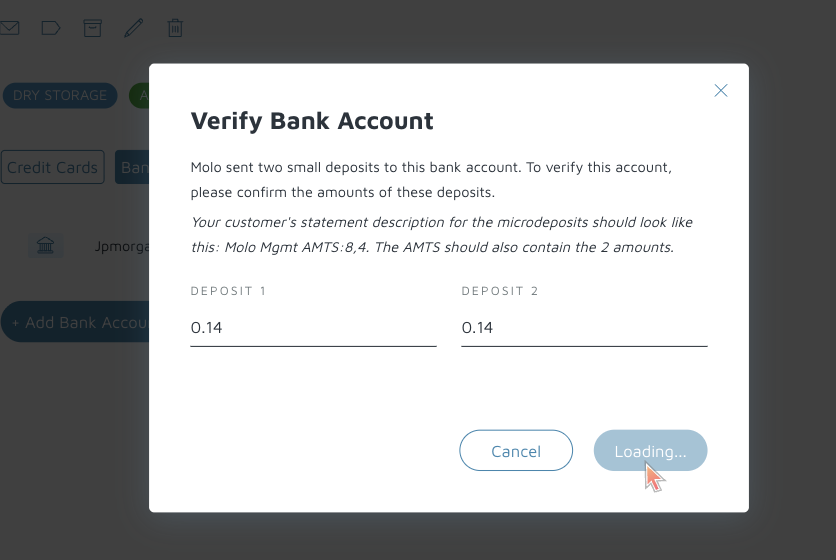
What the customer see's on their bank statement:

Why are Microdeposits Required
In Molo, we use microdeposits as a validation method to comply with NACHA Guidelines and ensure that:
a. An account is valid and can accept withdrawals and deposits
b. The customer adding that the bank account has access to the account
How can I resend the Microdeposits?
To resend the microdeposits, the account would have to be removed directly in the processor and reentered. To do so, please reach out to [email protected] and link the customer and account details to be removed.