
- "I'm not receiving any e-mails from Molo."
- "Some customers are reporting they didn't get any e-mails from Molo."
- "Why do my Molo emails go to Junk?"
Resolution Steps
- Determine if an email was actually sent from Molo.
- Before troubleshooting, check Contacts > Emailstab to see if an e-mail was actually sent. Check for the following:
- Sent Date
- Delivery Status (e.g. Delivered)
- E-mail address was spelled correctly
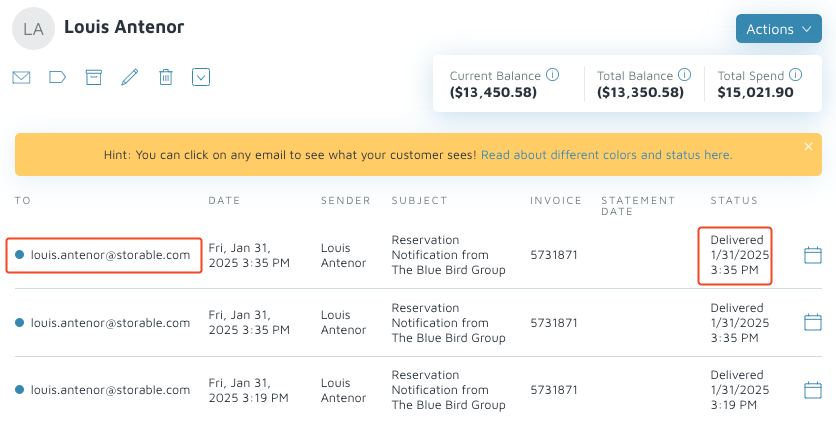
- Before troubleshooting, check Contacts > Emailstab to see if an e-mail was actually sent. Check for the following:
- Advise the customer to whitelist the @getmolo.com domain with their email provider or IT. In some cases, customers will need to designate Molo emails as safe senders.
Note: Whitelisting is an email security best practice where the mail service is configured to always let certain emails in.
- If issues persist, escalate to Support. Provide the e-mail address and date e-mail was sent for further troubleshooting.
Verification: If resolved, emails should not go to spam.