
- "How do I upload files in Molo?"
- "Can I save a copy of a file for the customer in Molo?"
Resolution Steps
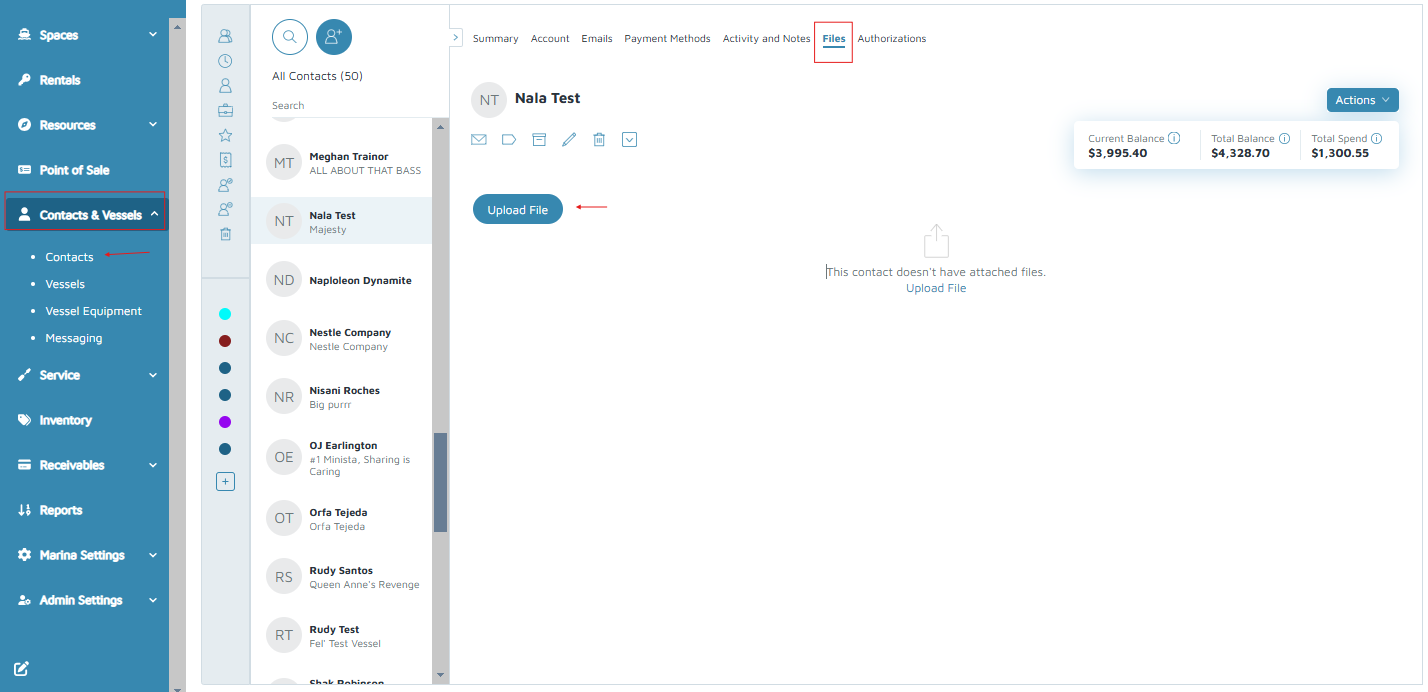
- Uploading Files in Contacts
- On the left menu, navigate to Contacts & Vessels > Contacts.
- Click on a contact.
- On the top menu, click Files.
- Click Upload File.
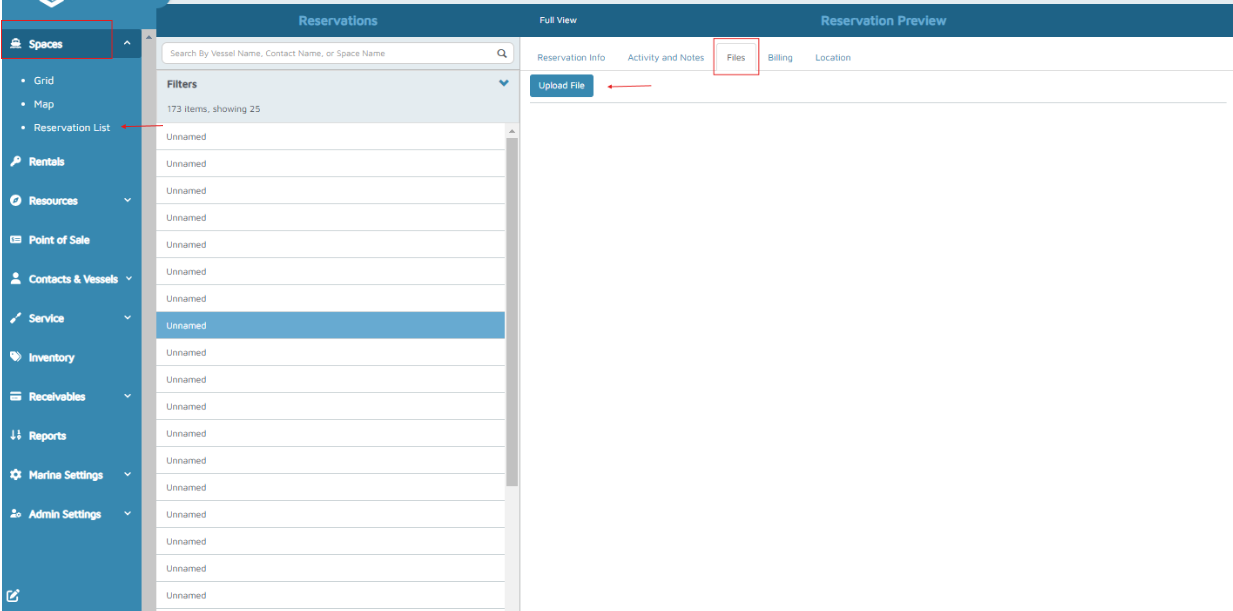
- Uploading Files in Reservations
- On the left menu, navigate to Spaces > Reservation List.
- Click on a Reservation.
- On the top menu, click Files.
- Click Upload File.
Verification: The files should be saved on the contacts profile or reservations after saving.