
- "How do I create a job template in Molo?"
Resolution Steps
- A job template simplifies the process of creating Estimates and Work Orders by automatically populating them with the relevant parts, labor, and charges for frequently performed tasks. This is especially useful for repetitive jobs like oil changes or wash and wax services, where the same components are typically required.
Prerequisite: Ensure that all labor, parts, and charges are created and assigned a job category in the inventory.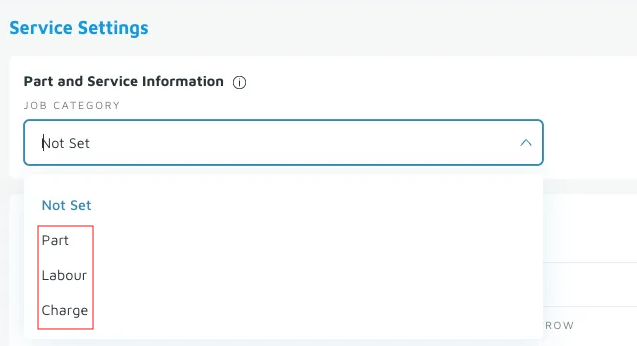
- On the left menu, navigate to Service > Job Templates.
- Click New Job Template.
- Complete the following:
- Title: Assign a name for the job template
- Labor: Add inventory items categorized as Labor (e.g. Hourly Labor)
- Parts: Add inventory items categorized as Parts (e.g. Oil filter)
- Charges: Add inventory items categorized as Charges (e.g. Environmental Fee)
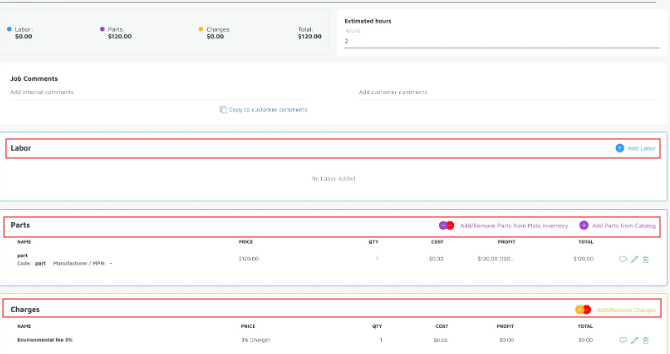
- Once completed, the Job Templates screen is auto-saved.
Confirmation/Verification: Open an existing work order then scroll to the Jobs section. Click Add Job Templates to verify if newly-created job template appears.