
- "How do I see the contracts my customers agreed to?"
- "Where can I see the contracts my customers signed?"
- "Is there a way to see which terms have not been accepted?"
Resolution Steps
Reservation Details page (Legacy)
- Navigate to Spaces > Reservation List.
- If in Grid view, click on the reservation > View Detail.
- Click on the reservation.
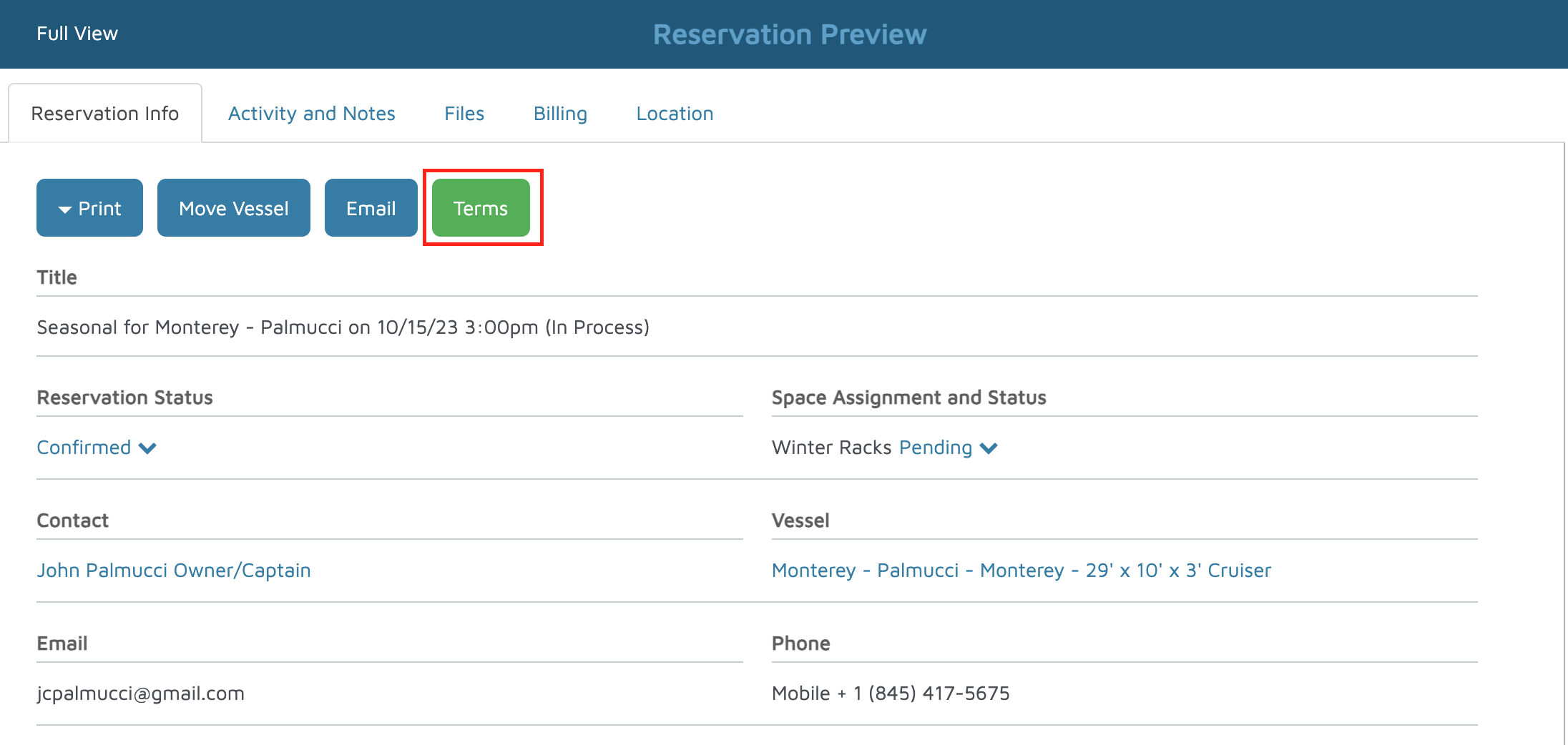
- Click on the Terms button at the top of the reservation details.
- A pop-up will appear and tell you whether the terms have been accepted or not.
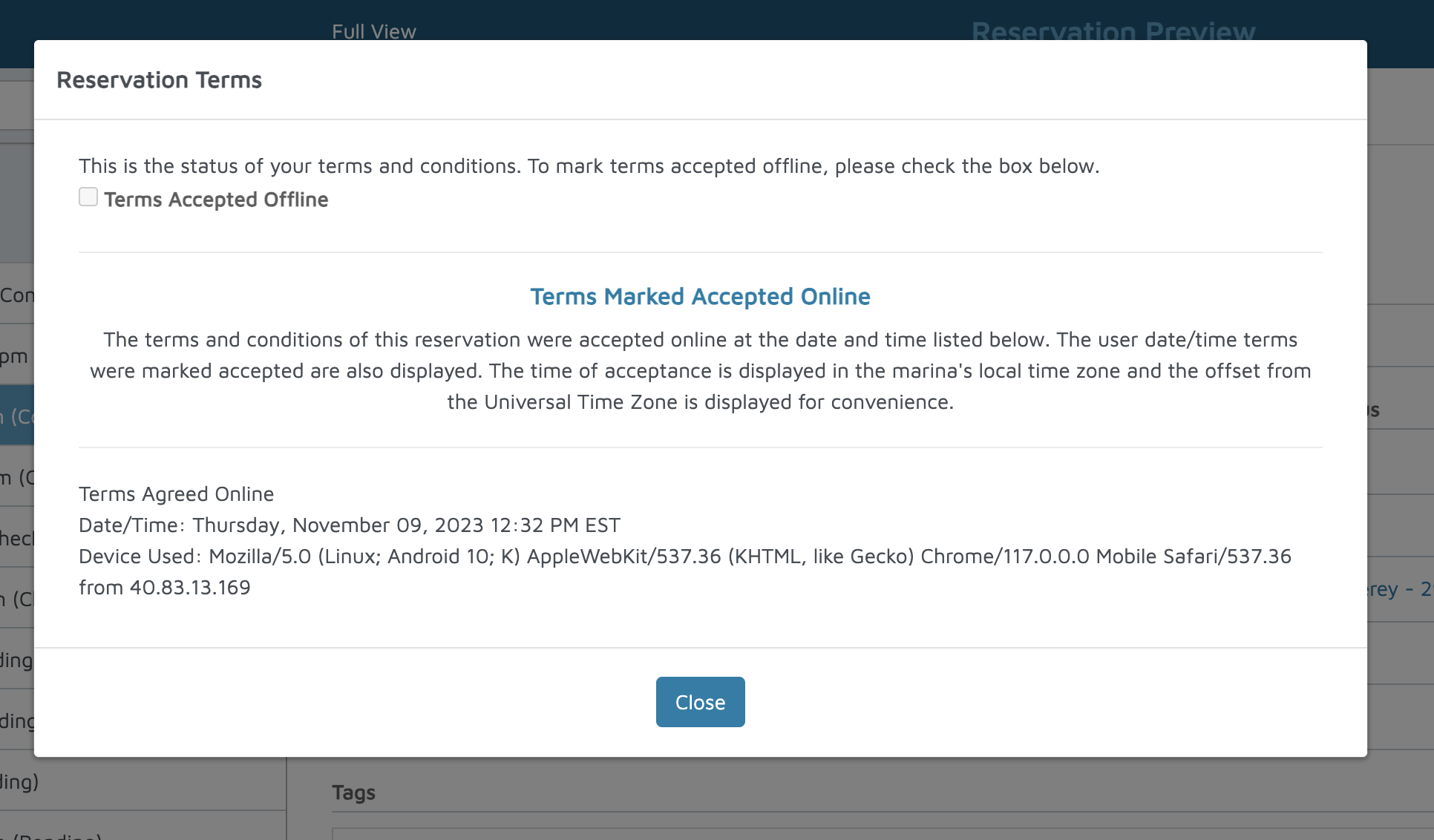
Verification: The terms should appear on the pop-up.