
- "How do I create a new customer in Molo?"
- "How do I add a customer in Molo?"
Resolution Steps
- On the upper-right corner, click New > Contact.
- Populate and select the following fields:
- First Name
- Last Name
- Contact Type (Customer, Company Supplier, Tax Exempt)
- Statements Preference
- Phone Number
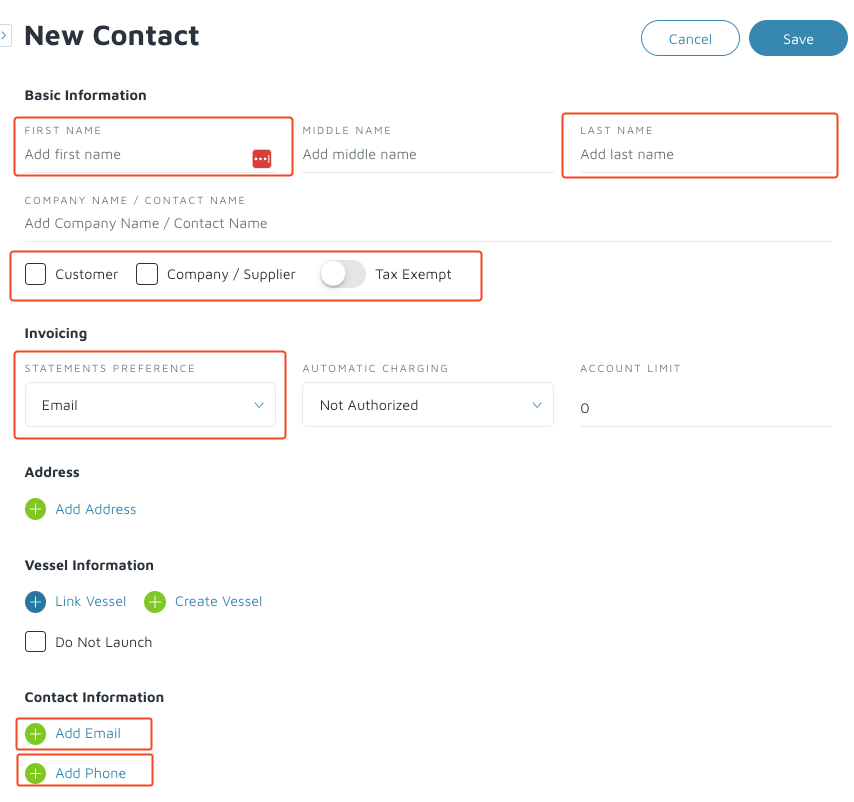
- On the upper-right, click Save.
Verification: The customer should be under the contact list once you refresh.