Definition of Colors in the Reservation Grid
Print
Modified on: Mon, 22 Dec, 2025 at 7:46 PM
- "How can I change the booking status on the grid?"
- "How can I change the colour of the booking?"
Resolution Steps
- On the left menu, navigate to Spaces > Grid.
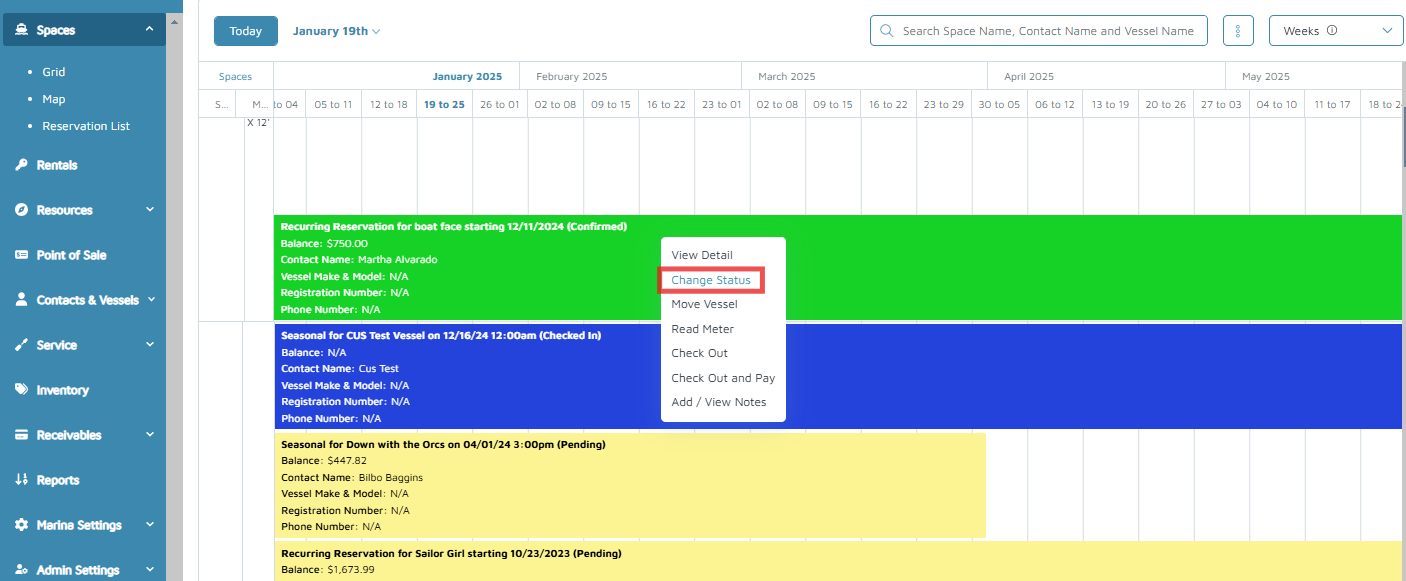
- Select a booking and click Change Status.
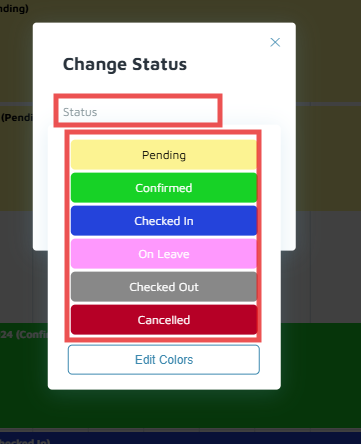
- The Change Status pop-up shows the different color definitions. Select the desired status.
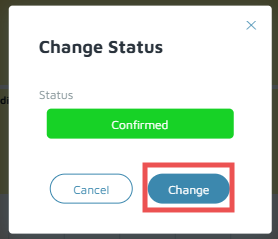
- Click Change.
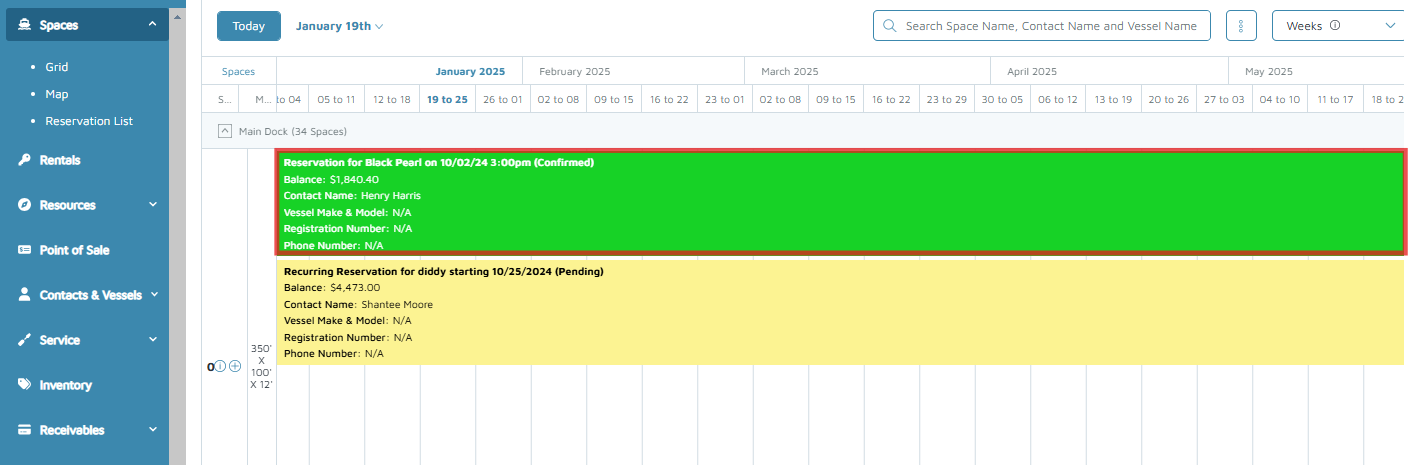
Verification/Confirmation: Check if the status/color had changed for the reservation.
Did you find it helpful?
Yes
No
Send feedback Sorry we couldn't be helpful. Help us improve this article with your feedback.
