
- "I have a reservation that is in process and I want to change the rate."
- "How can I change the rate of a reservation?"
Resolution Steps
Note: This will only work if you have our reverse and rebill feature turned on. Please get in touch with support about turning on this feature.
- On the left menu, navigate to Spaces > Reservation List.
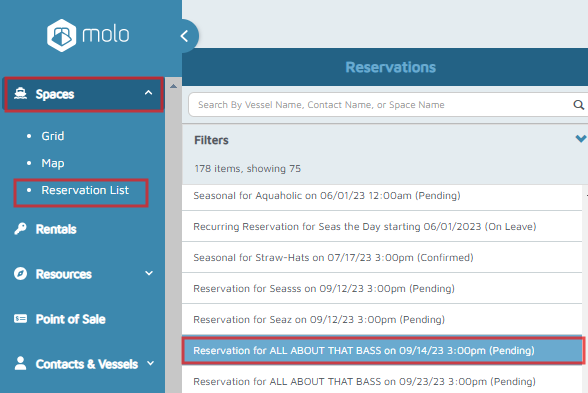
- Select a reservation, then click Full View.
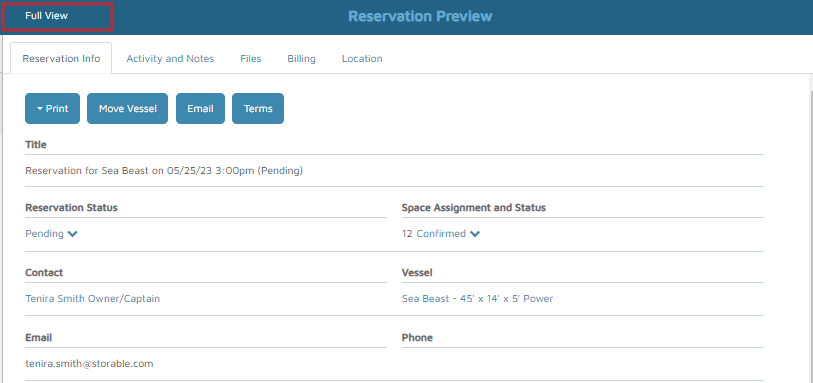
- On the upper right corner of the screen, click Edit.

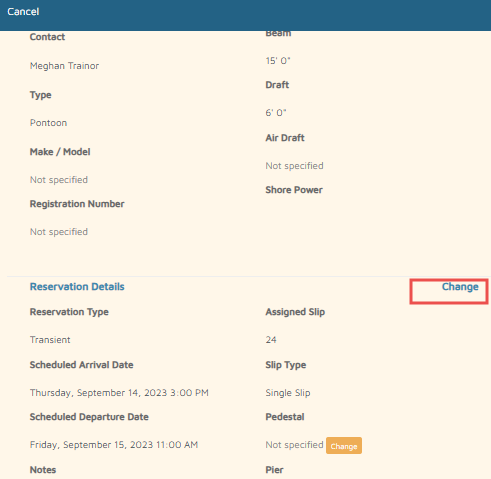
- On the bottom left of the screen, click Change.
- Select the new rate under Rates.
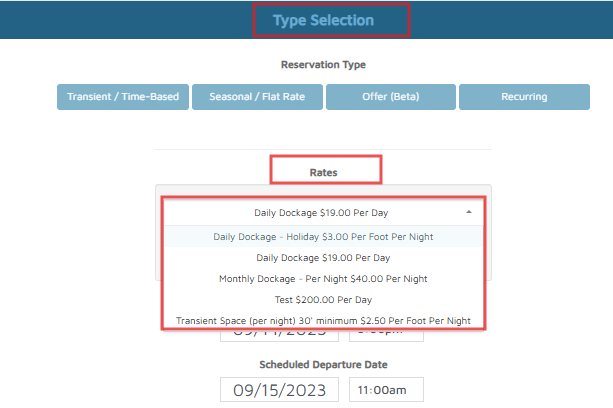
- Change Date and Time (optional).
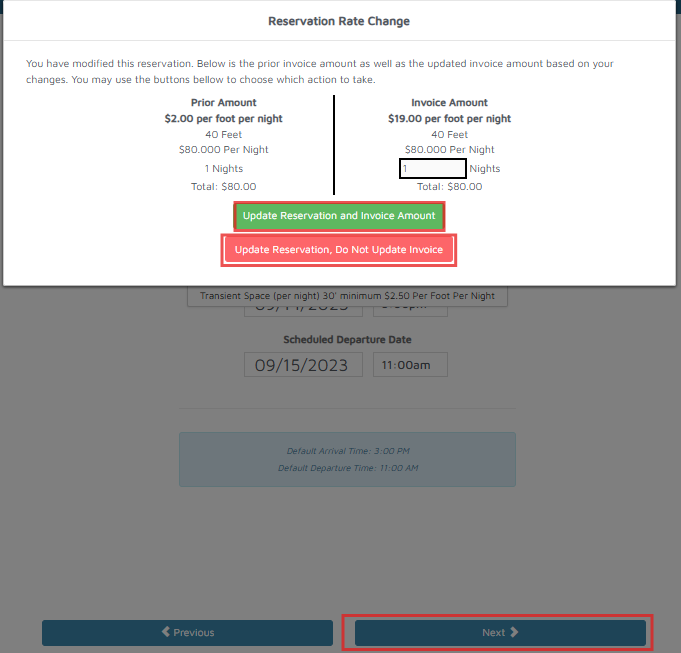
- Click Next, then click one of the following:
- Update Reservation and Invoice Amount - this updates the Invoice Amount using the new rate.
- Update Reservation, Do Not Update Invoice - this does not update the current invoice.
- Select Space (optional).
- Click Next and choose either Store Payment Method or Reserve Without Payment.
Verification: When the reservation is successfully saved, the (Reservation has been saved) message will appear.