
- "How do I see if someone signed their terms on a contract?"
- "Where are the signed terms in Molo?"
Resolution Steps
Go to Spaces → Reservation List.
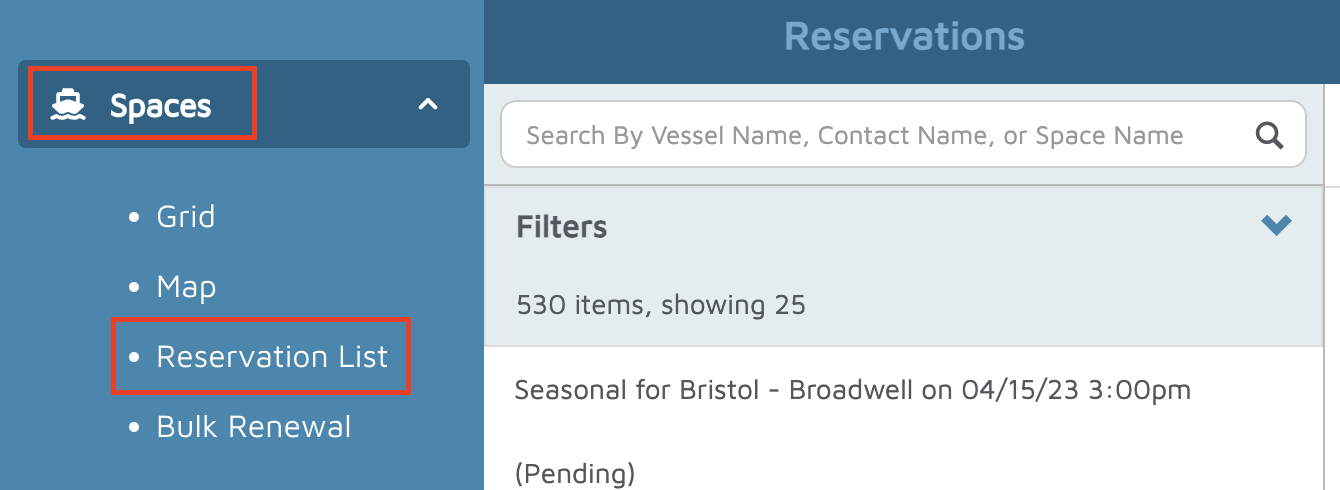
Select the reservation you want to review.
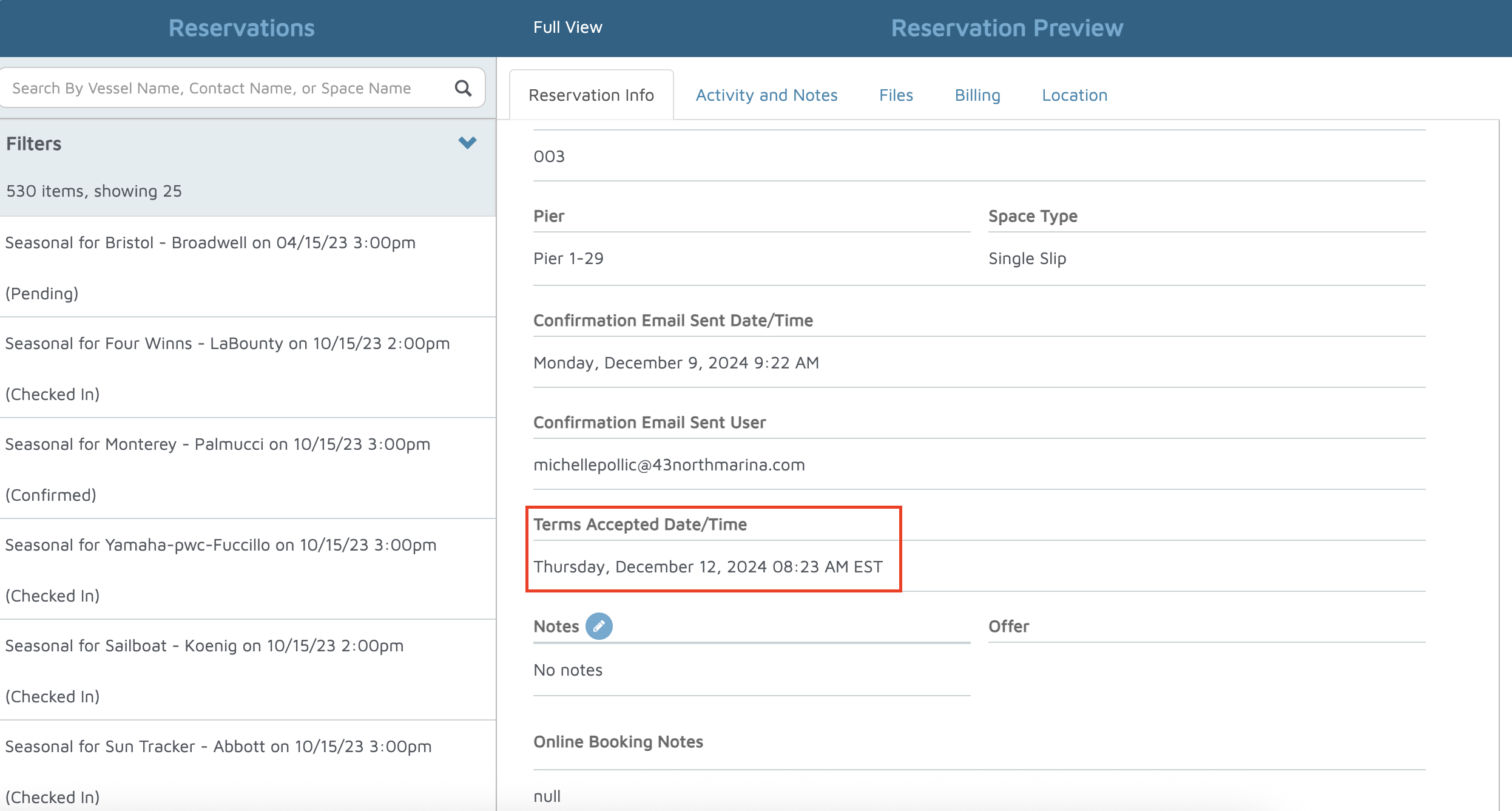
On the right-hand side, you will see the Reservation Preview.
Scroll down to the Terms Accepted Date and Time field. This shows the exact date and time the terms were accepted online.
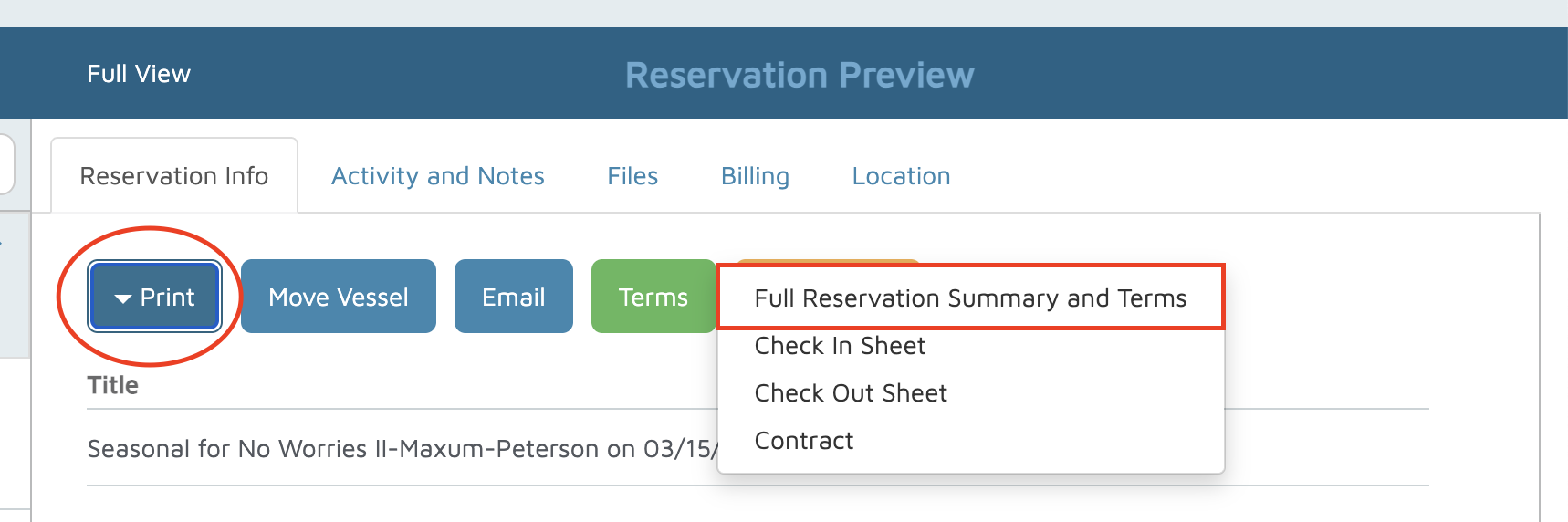
This generates a copy of the Terms & Conditions.
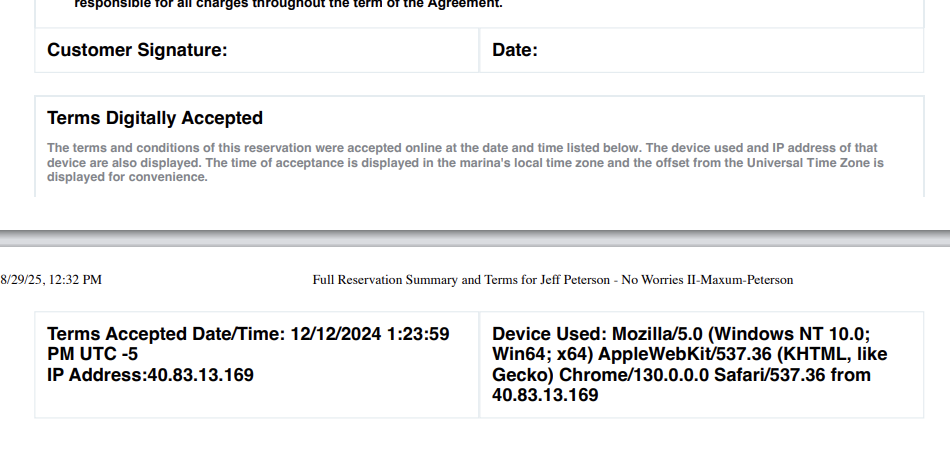
Scroll to the bottom of the document to view:
Terms Accepted Date and Time
IP Address of the customer/company
Click Print > Full Reservation Summary and Terms.
Verification
Confirm that the Terms Accepted Date and Time appear both in the Reservation Preview and in the Printed Reservation Summary.