
- “Why isn’t my inventory item showing up in Work Orders or Estimates?”
- “How do I assign an item to appear as labor, parts, or charges in Molo?”
Resolution Steps
- Navigate to Inventory → Items.
- Select the item you want to appear in Work Orders or Estimates.
- Click Edit Item.
- Review the general item details such as Sales Price and Charge Method.
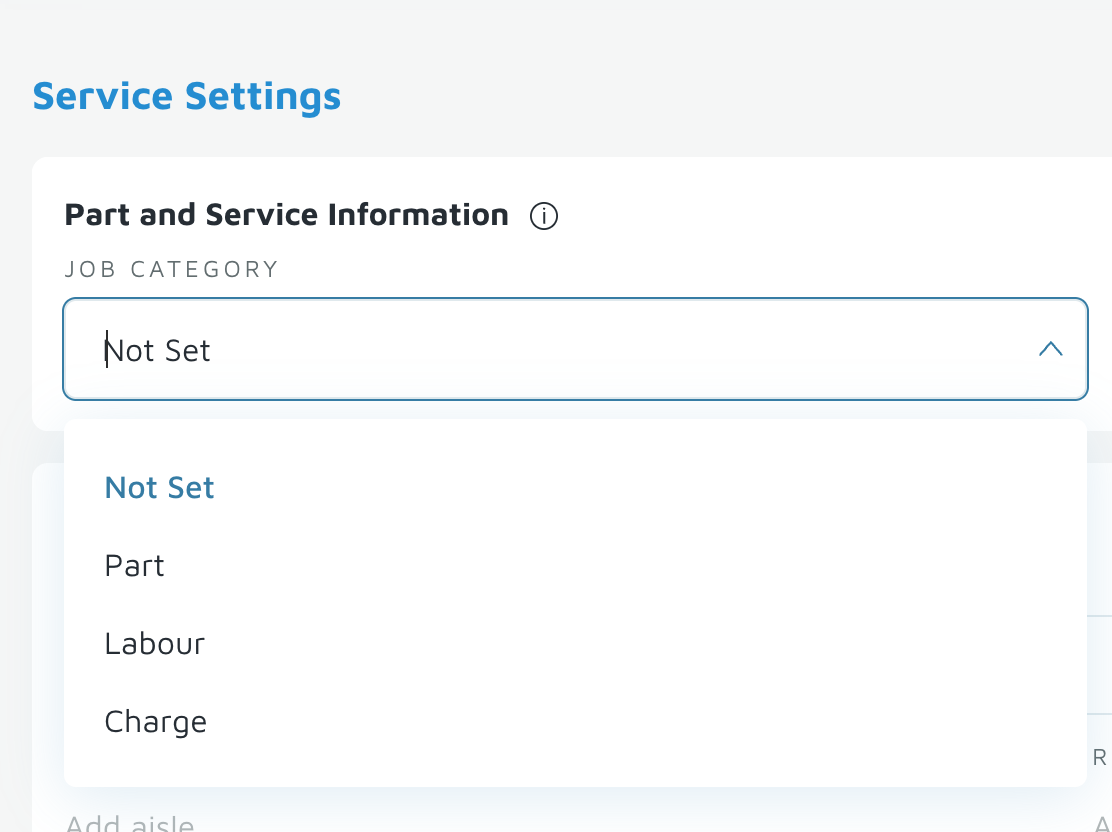
- Scroll down to the section labeled Service Settings.
- Choose one of the following options depending on the item type:
- Labor – For hourly or task-based service items (e.g., hourly labor rate).
- Part – For physical parts or materials used in repairs or maintenance.
- Charge – For fees such as environmental charges, cleaning fees, or service fees.
- Click Save to apply your changes.
Verification: The item should appear when adding a Labor, Part or Charge in an estimate or work order.