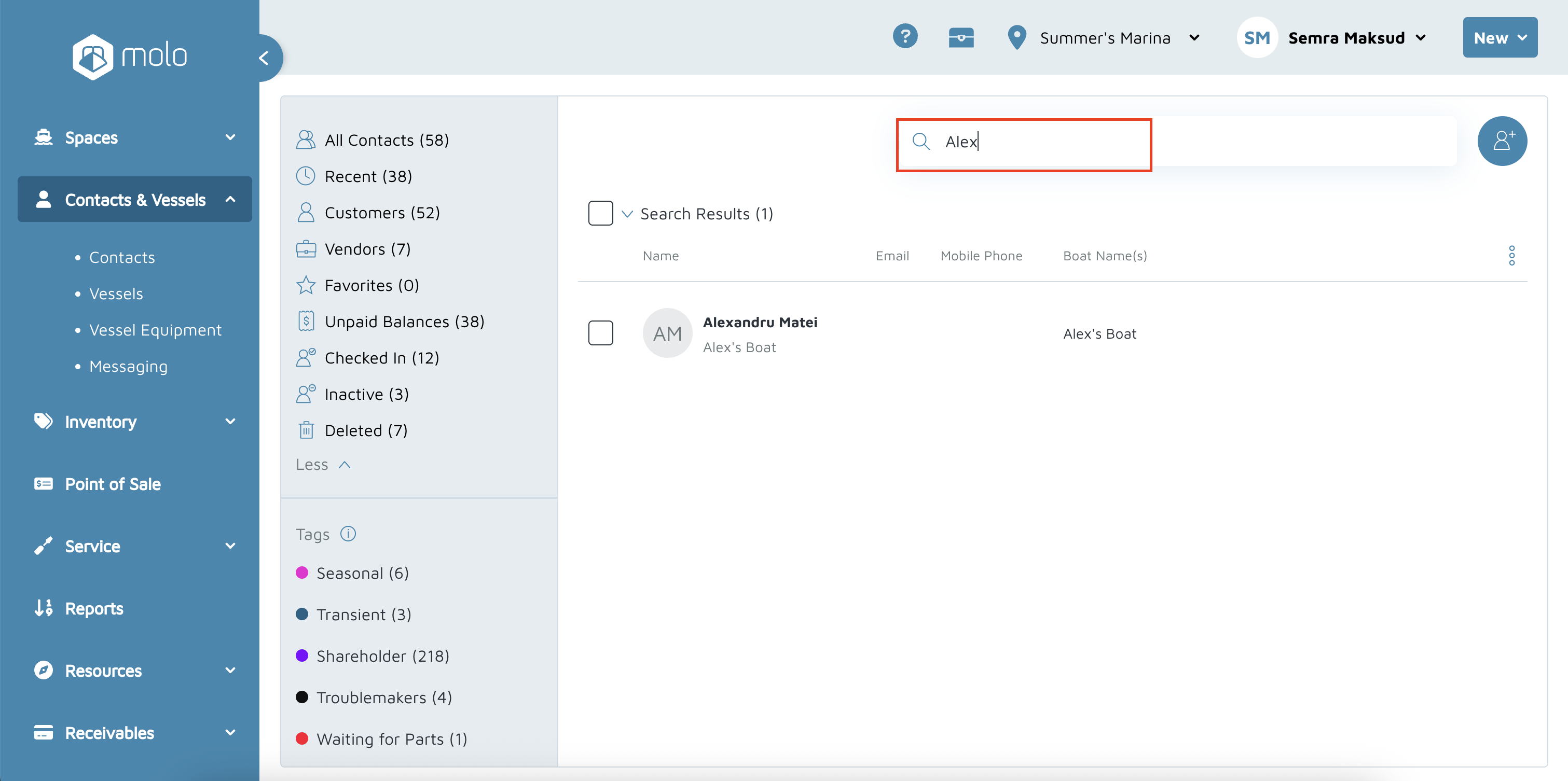
- "How do I merge duplicate contacts?"
- "How do I merge X contact and X contact together?"
Resolution Steps
- Verify which contact is the duplicate and which one needs to survive by looking at the contact ID in the URL.
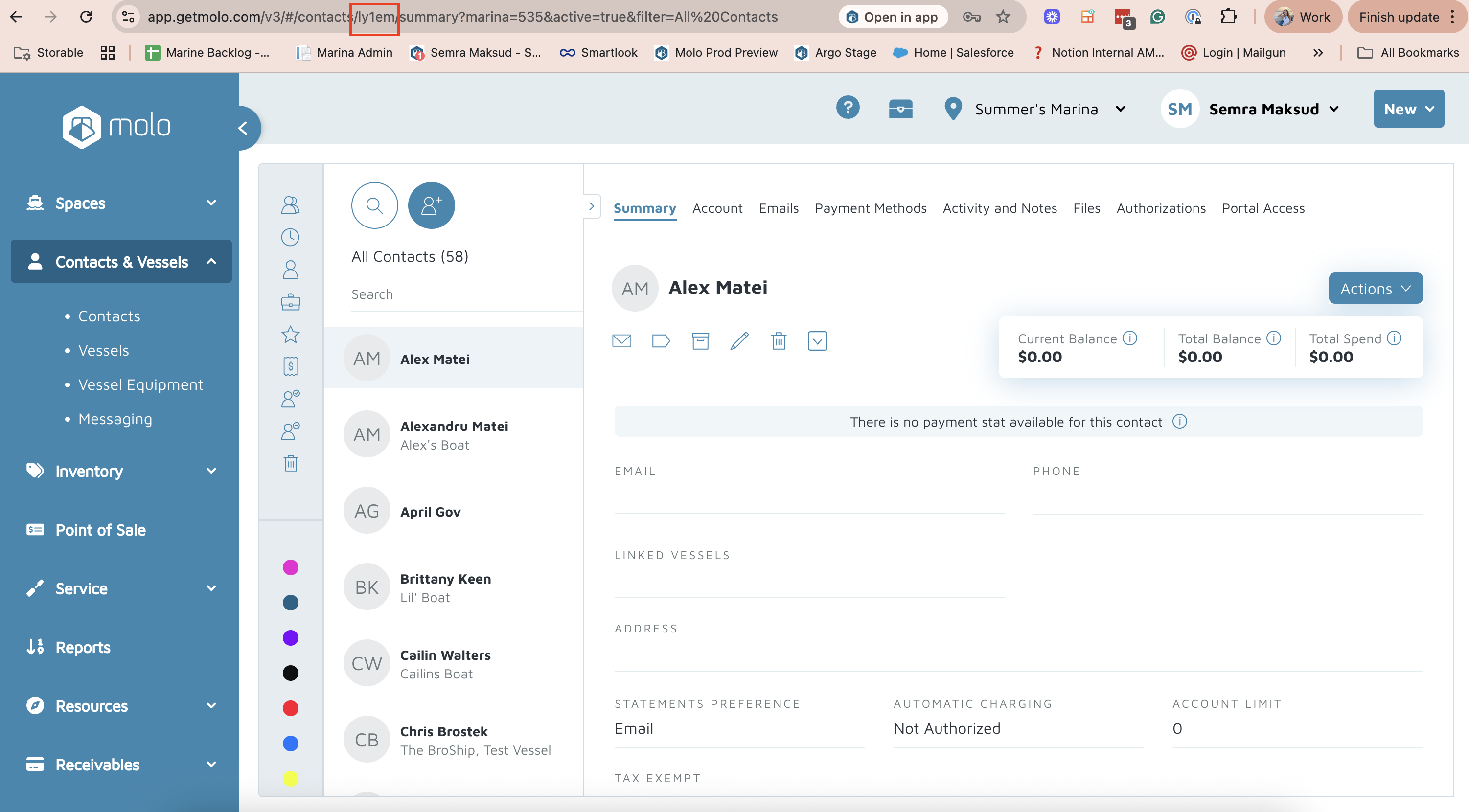
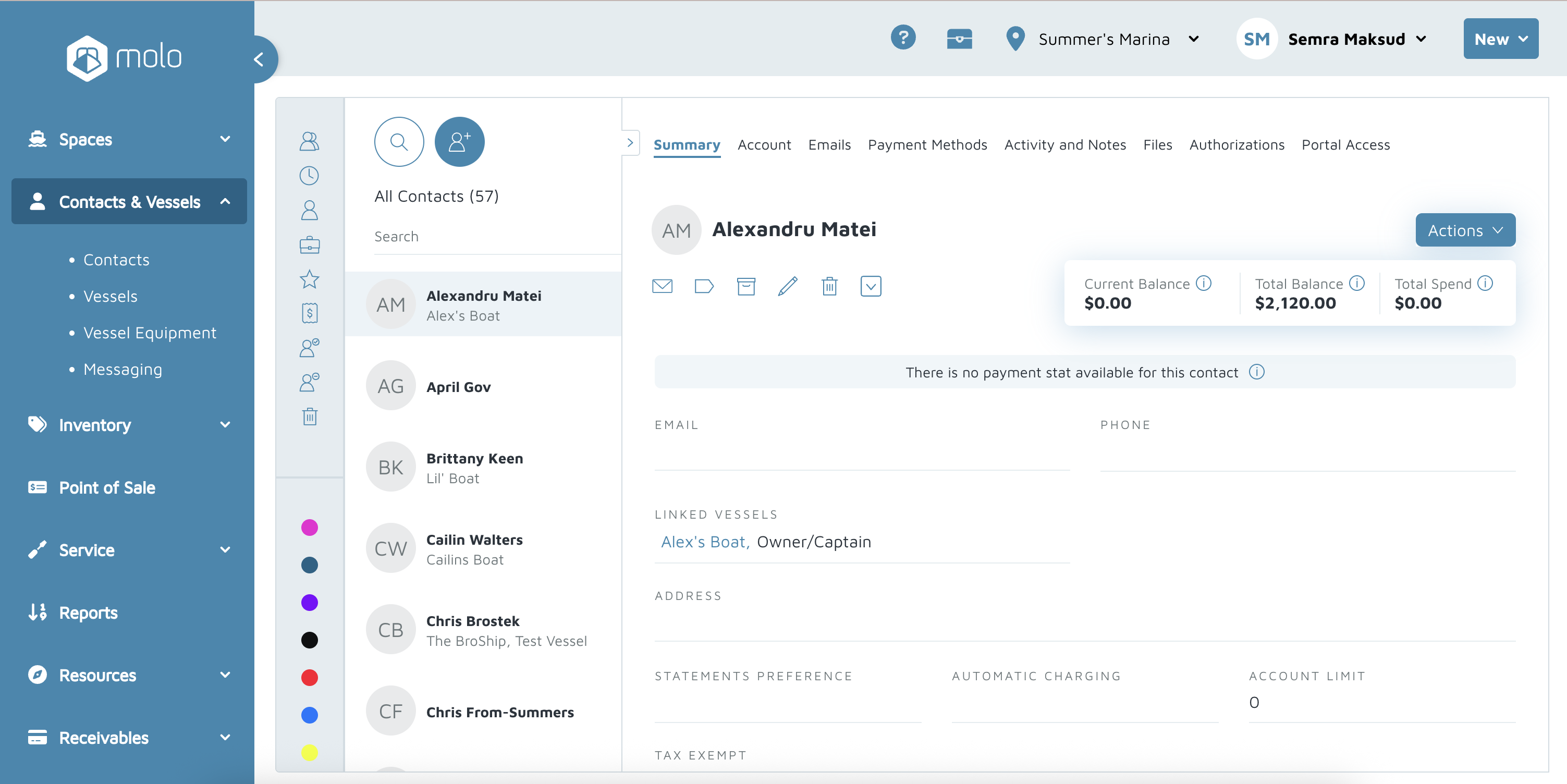
- Navigate to the duplicate contact profile. The contact that does not need to survive.
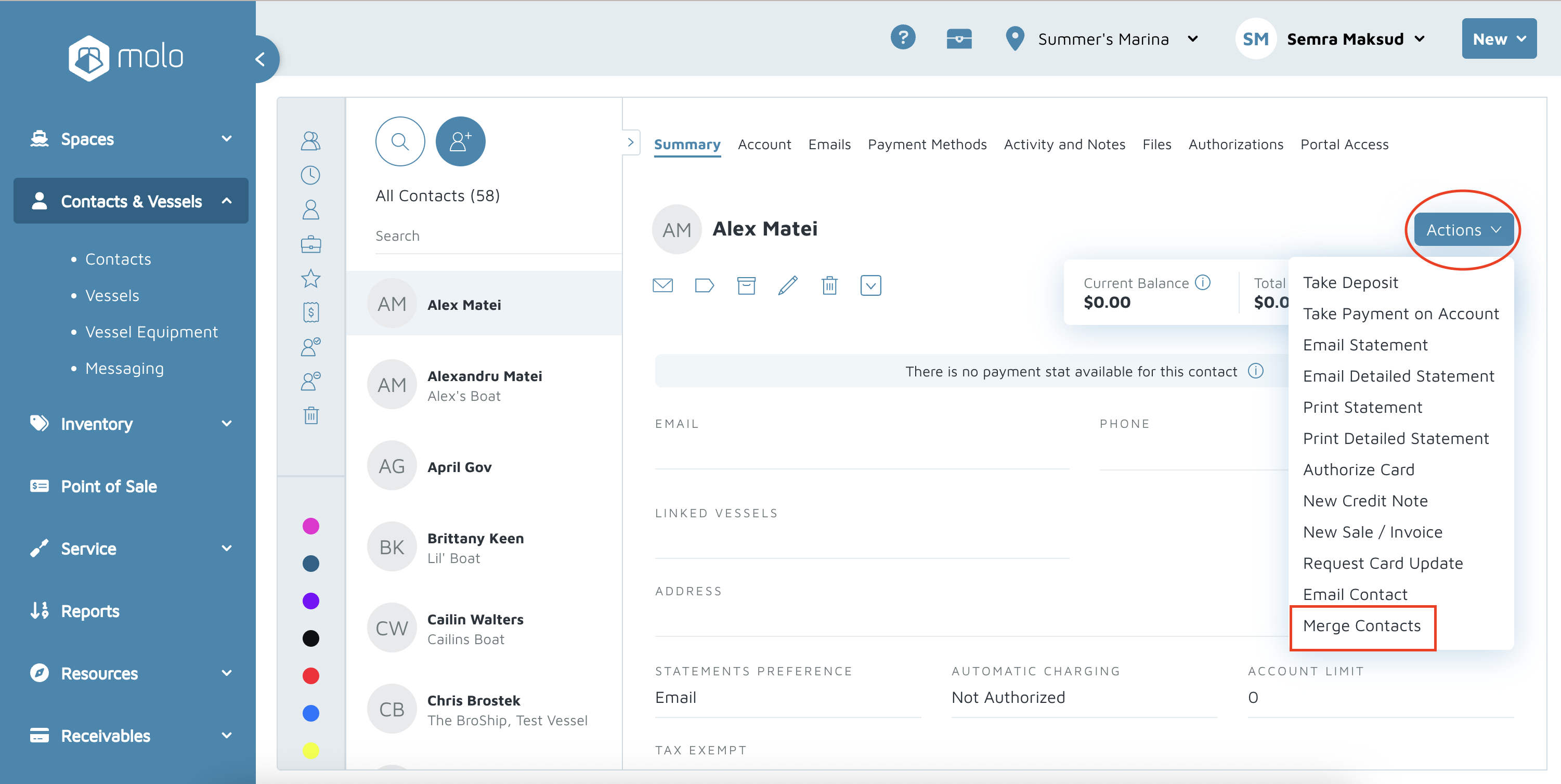
- Click on Actions > Merge Contacts
- A pop-up will appear to search for the surviving contact by name or contact ID
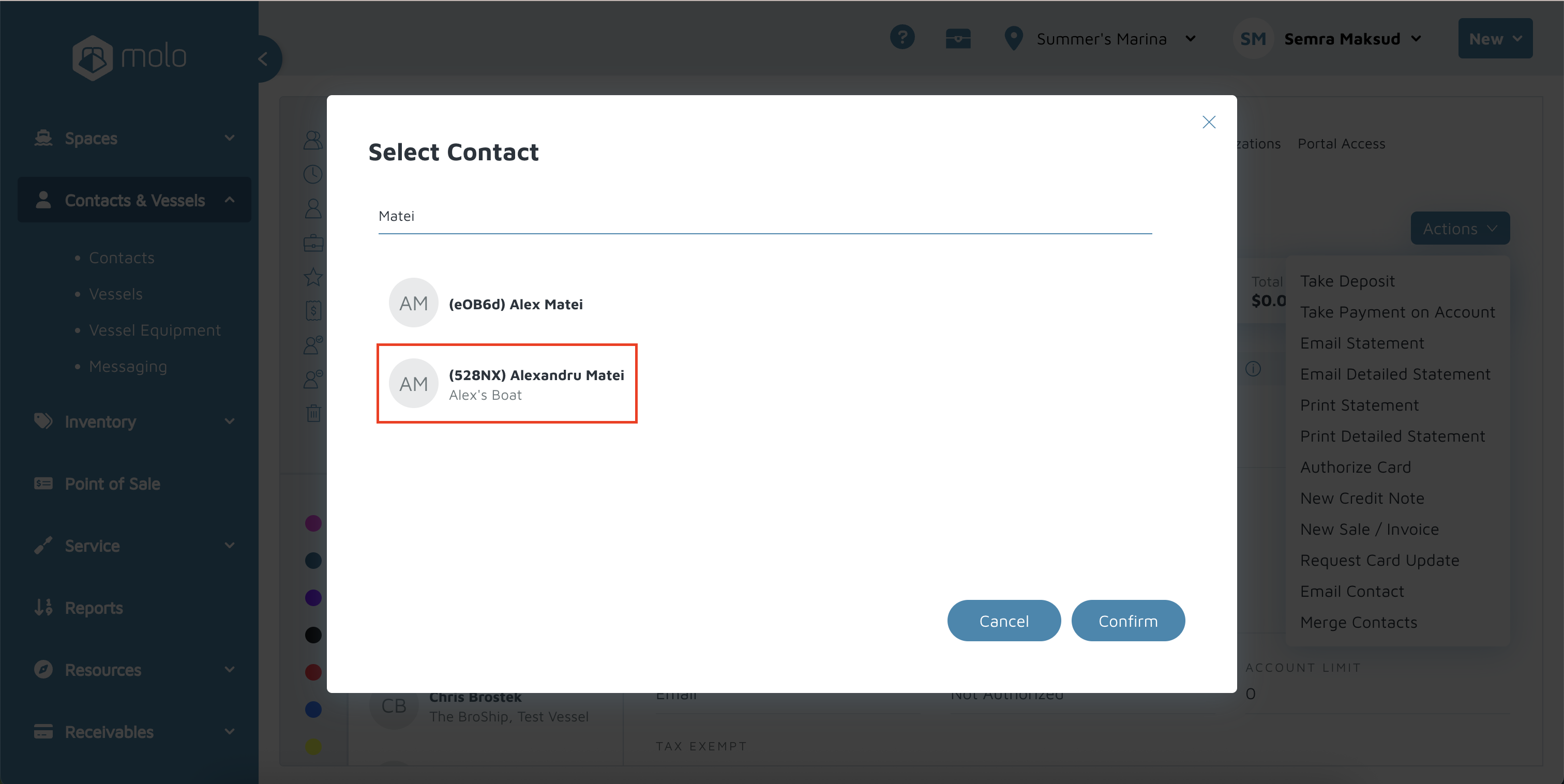
- Select that surving contact and click 'confirm'. Once you click confirm, this action cannot be undone.
- The surviving contact profile will come up.
Verification/Confirmation: If you search for the duplicate contact in the search bar, it should not show up.