
- "How do I prorate a reservation?"
- "What are the steps to prorating a reservation?"
Resolution Steps
Part 1: Creating Reservations - How To Create A New Reservation
Create the first reservation:
Go to New > Reservations
Select a time-based rate.
Set the start date (e.g., September 8th).
Set the end date (e.g., September 30th).
Assign the slip.
Click Reserve without payment.
Create the second reservation:
Create a new reservation for the same customer starting October 1st.
Select the recurring rate.
If there’s a departure date, enter it. If not, leave it open.
Assign the slip.
Click Reserve without payment.
Part 2: Prorating if a Customer Leaves Early
If a customer leaves before the reservation ends, calculate a prorated credit:
Formula:
(Daily Rate) = (Total Rate ÷ Number of Days in Period)
(Credit Amount) = (Daily Rate × Remaining Days)
(Adjusted Charge) = (Total Rate – Credit Amount)
Example:
Monthly rate = $100
Days in September = 30
Daily rate = $100 ÷ 30 = $3.33/day
If customer leaves after 8 days → 22 unused days
Credit = 22 × $3.33 = $73.33
Customer pays only for 8 days = $100 – $73.33 = $26.67
Part 3: Issuing a Credit Note - How to Create a Credit Note
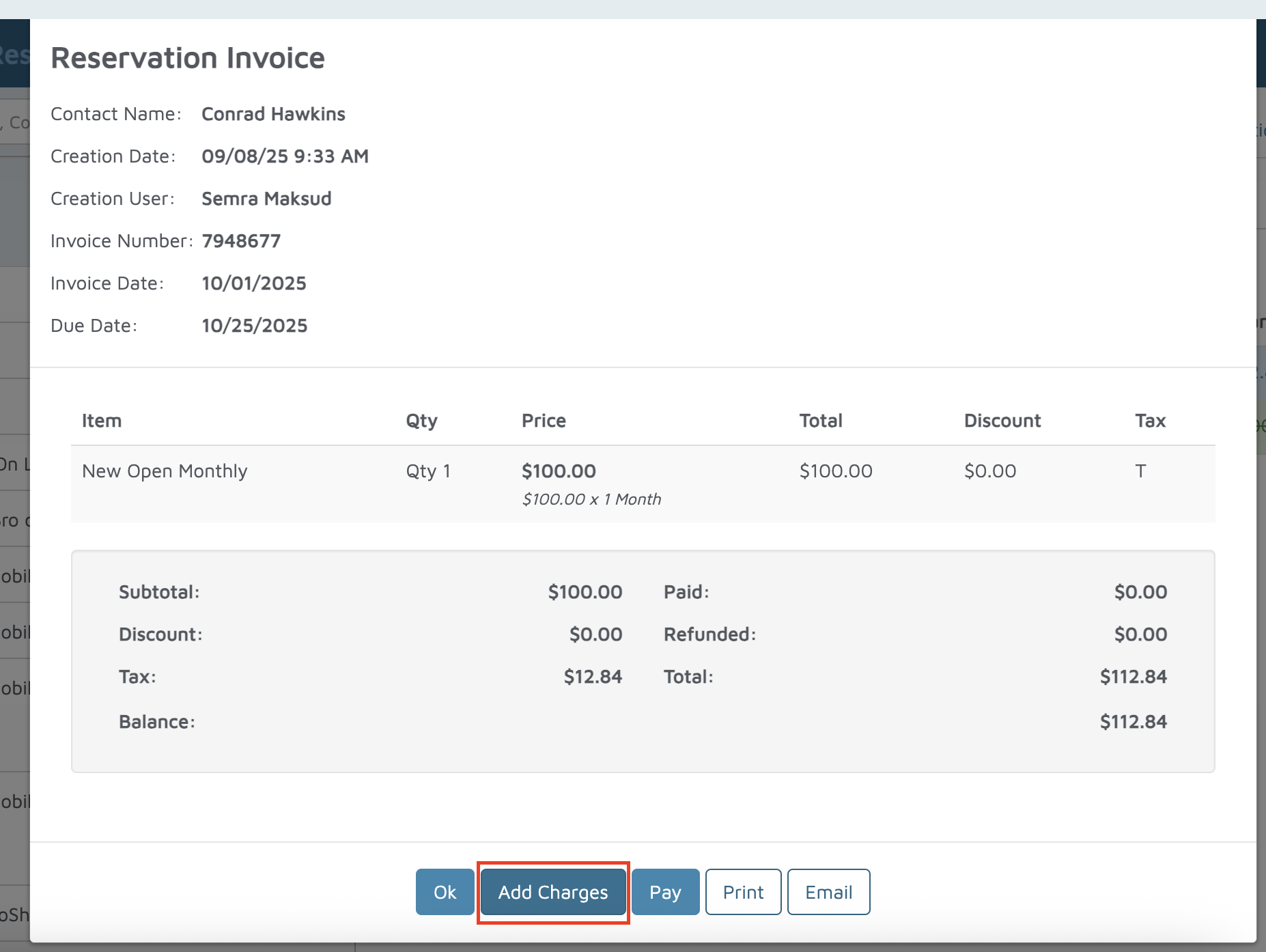
On the Reservation billing tab.

Click View → Add Charges → Credit Return.
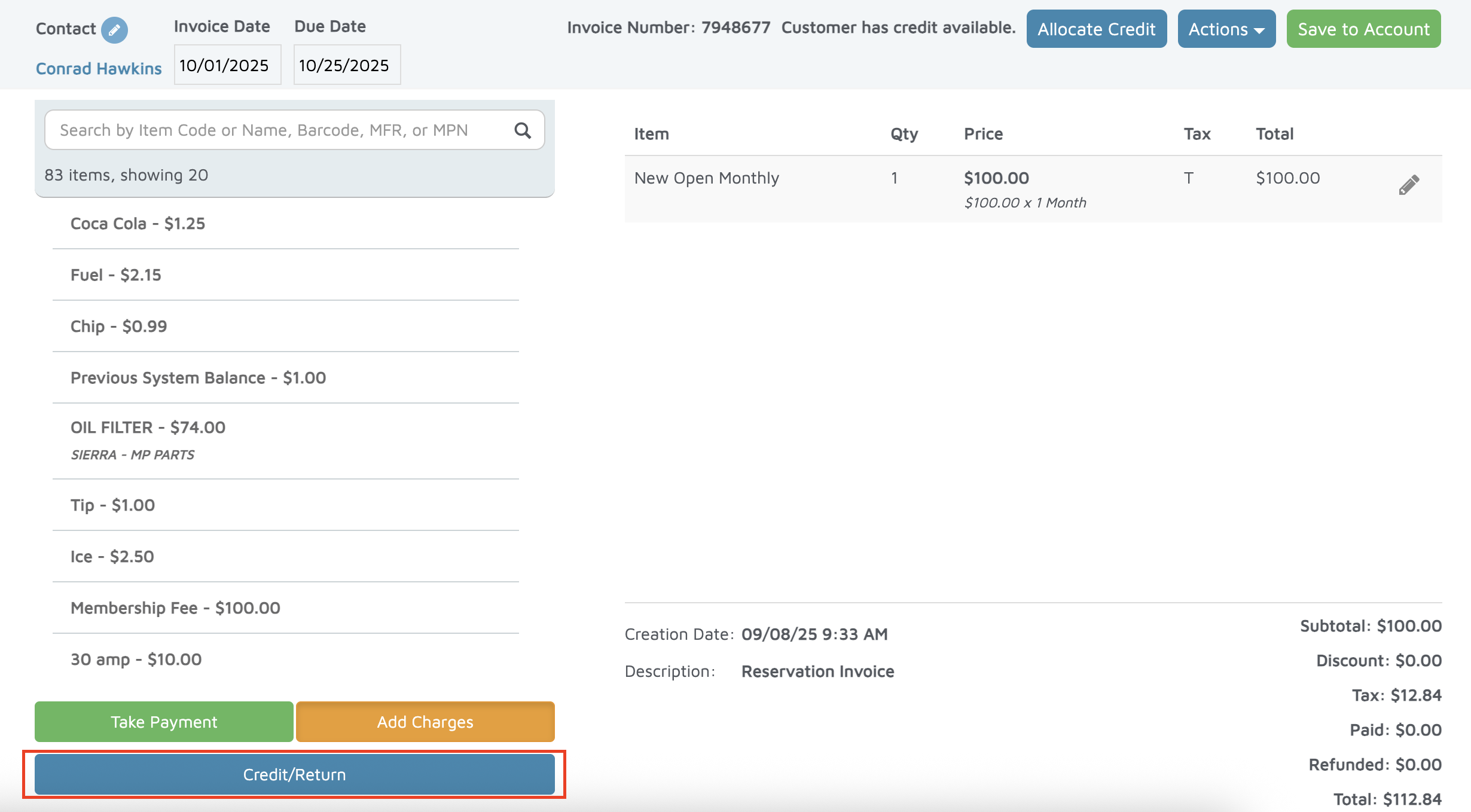
Select the item(s) being credited.
Enter the credit amount (calculated from the formula, e.g., $73.33).
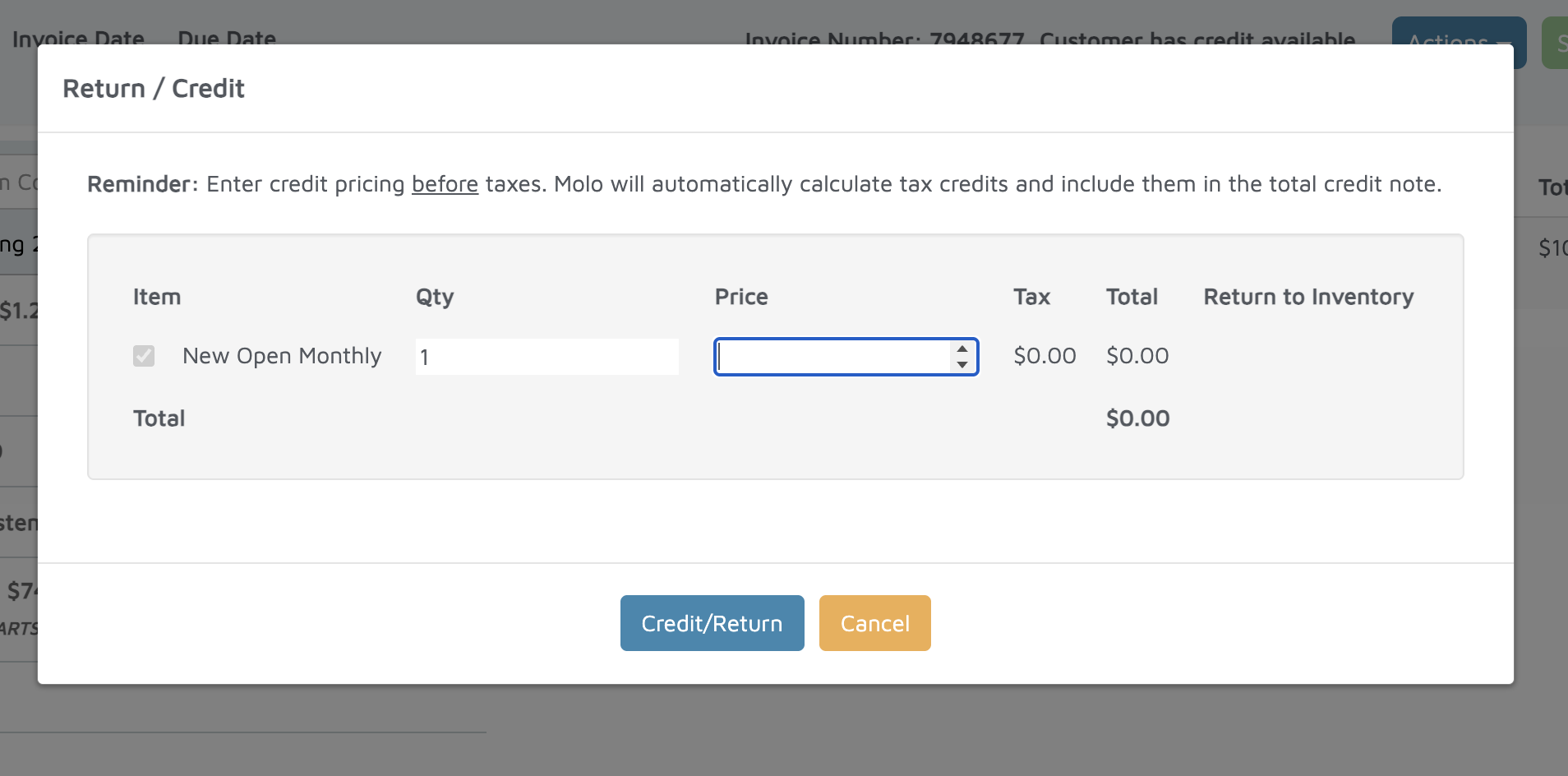
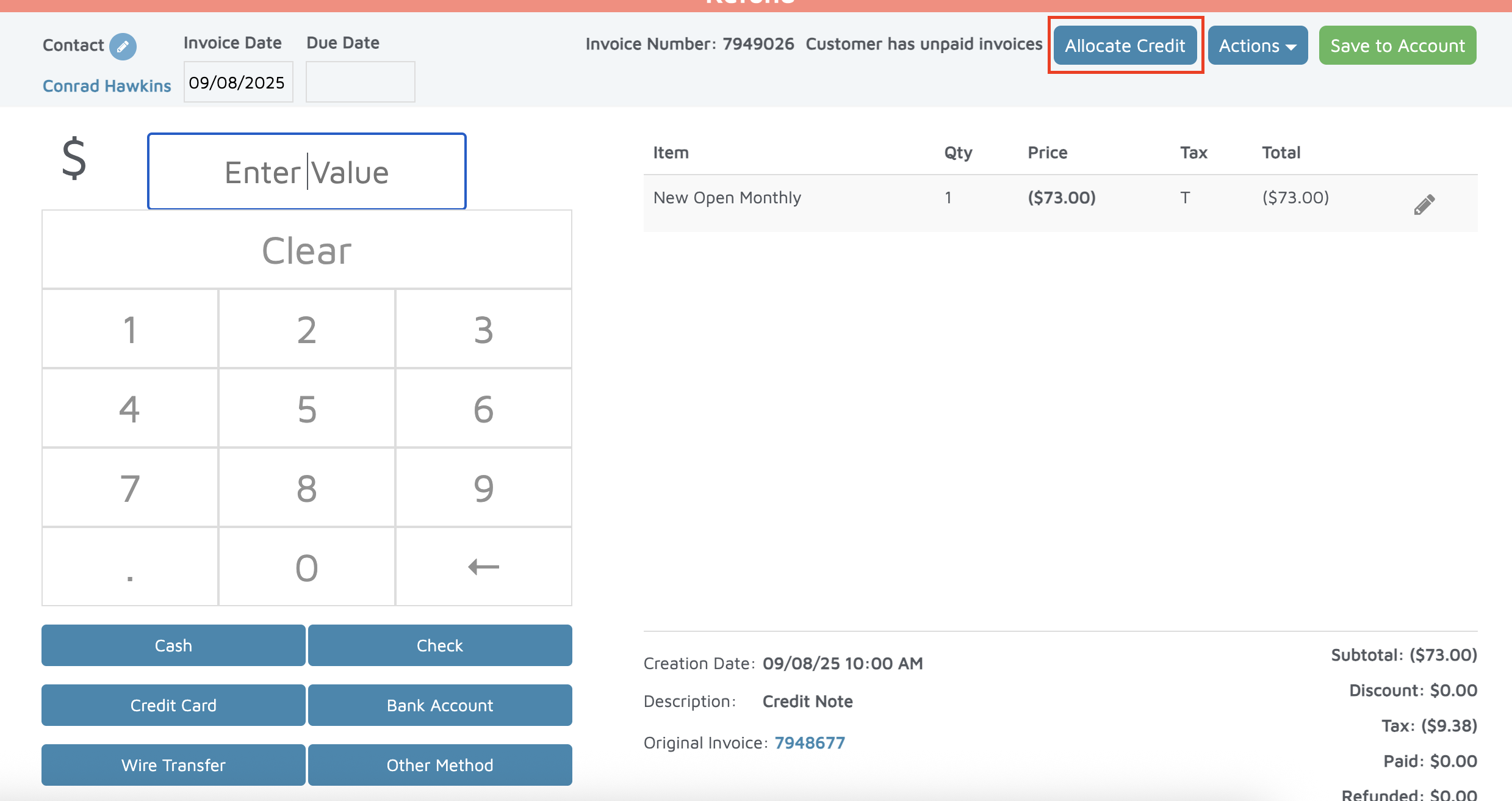
Save to create the credit note.
Allocate the credit to the original invoice.
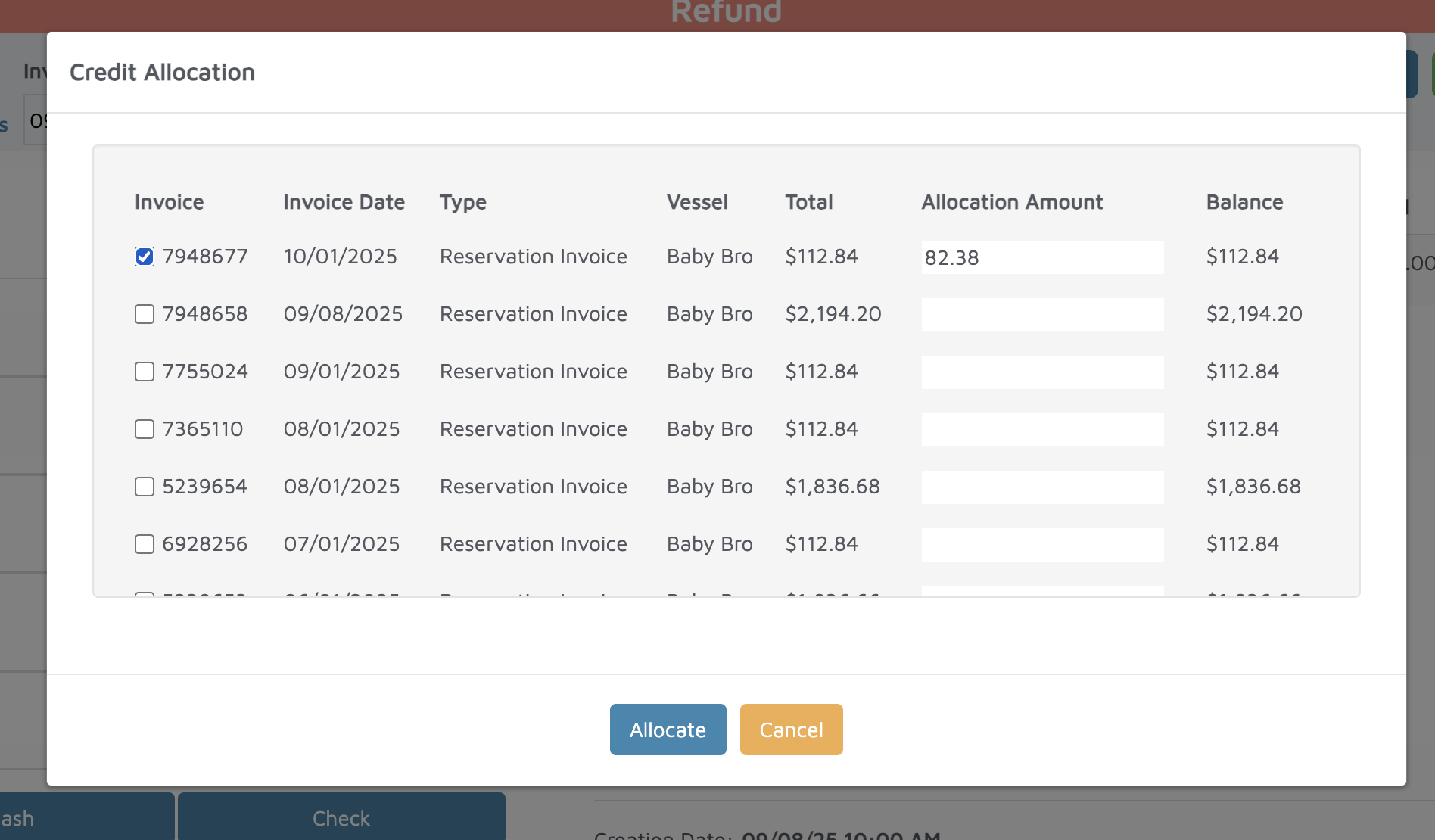
Verification: Open the invoice again to confirm the adjusted balance (e.g., customer now owes $26.67)