- "Can I reopen a work order?"
- "Is it possible to reopen a work order to make changes?"
Resolution Steps
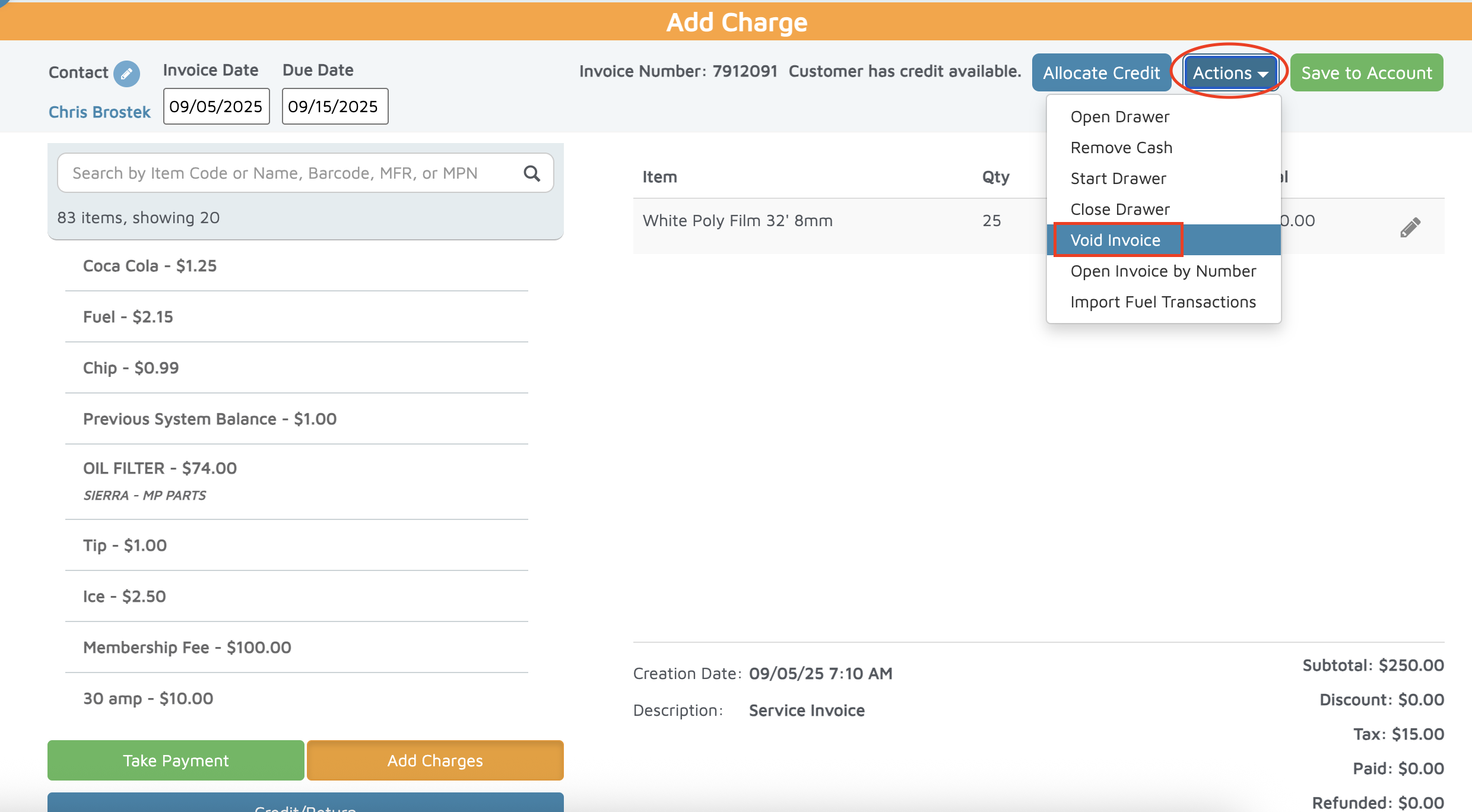
Open the invoice you need to void.
At the top, click on Actions.
Select Void Invoice.
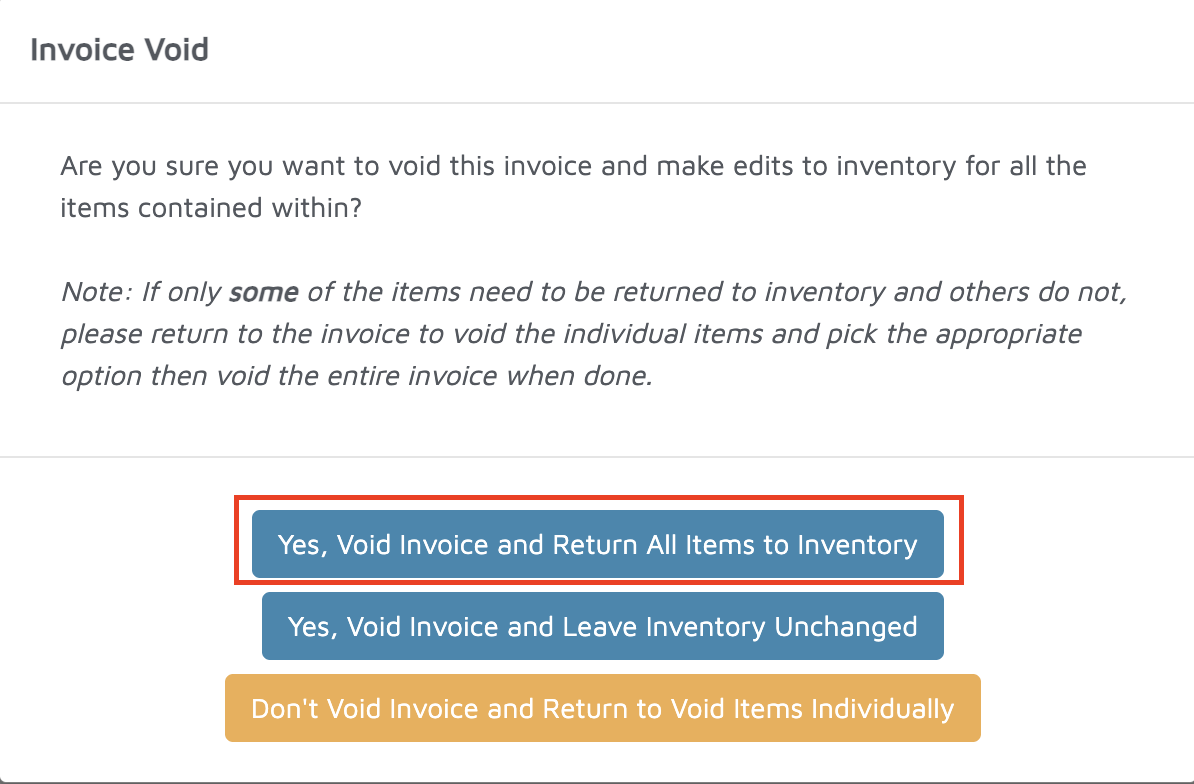
If you have tracked parts on the invoice, you will click a pop up that says: Yes, void invoice and return all items to inventory.
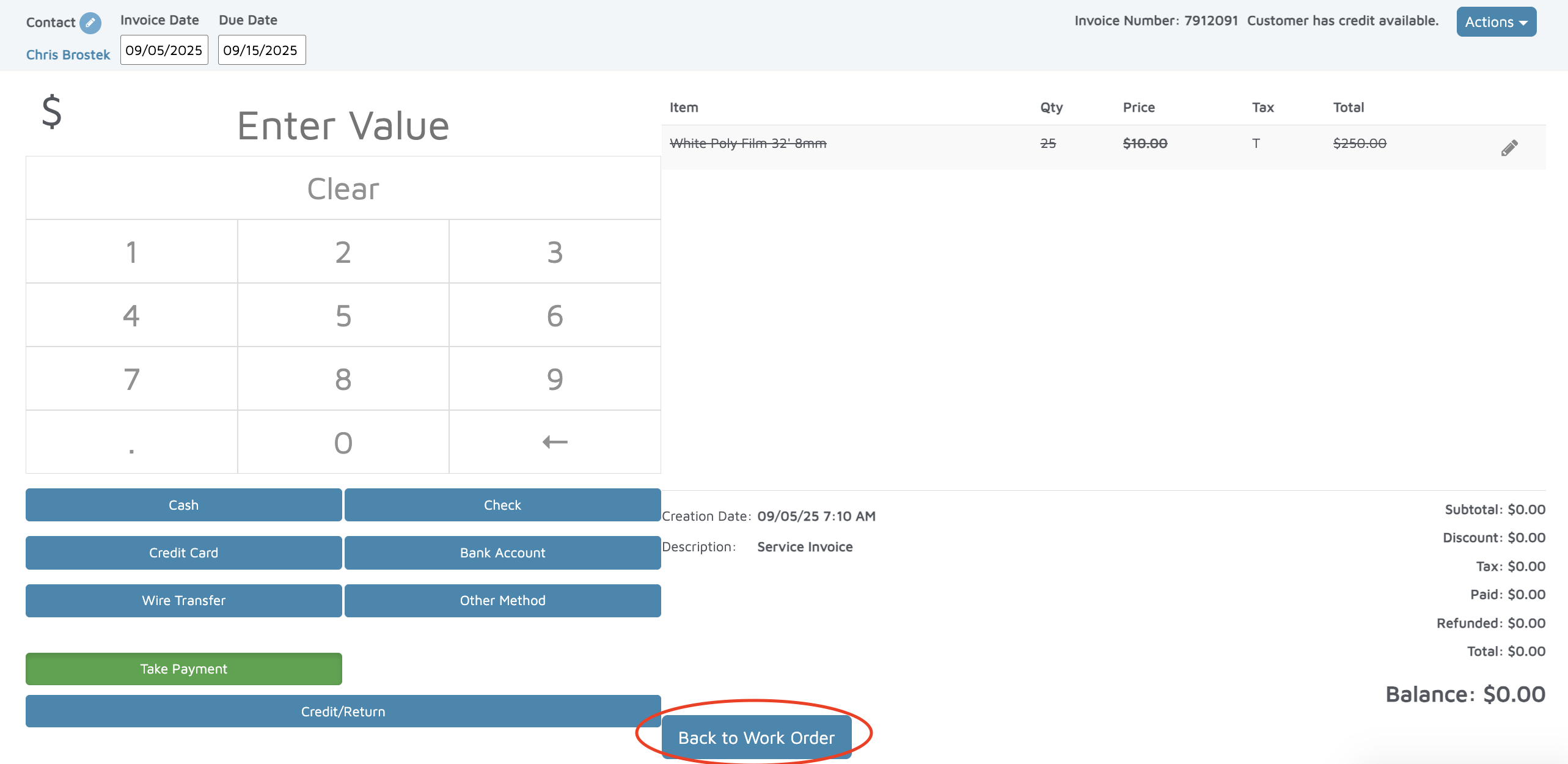
Scroll down and click Back to Work Order.
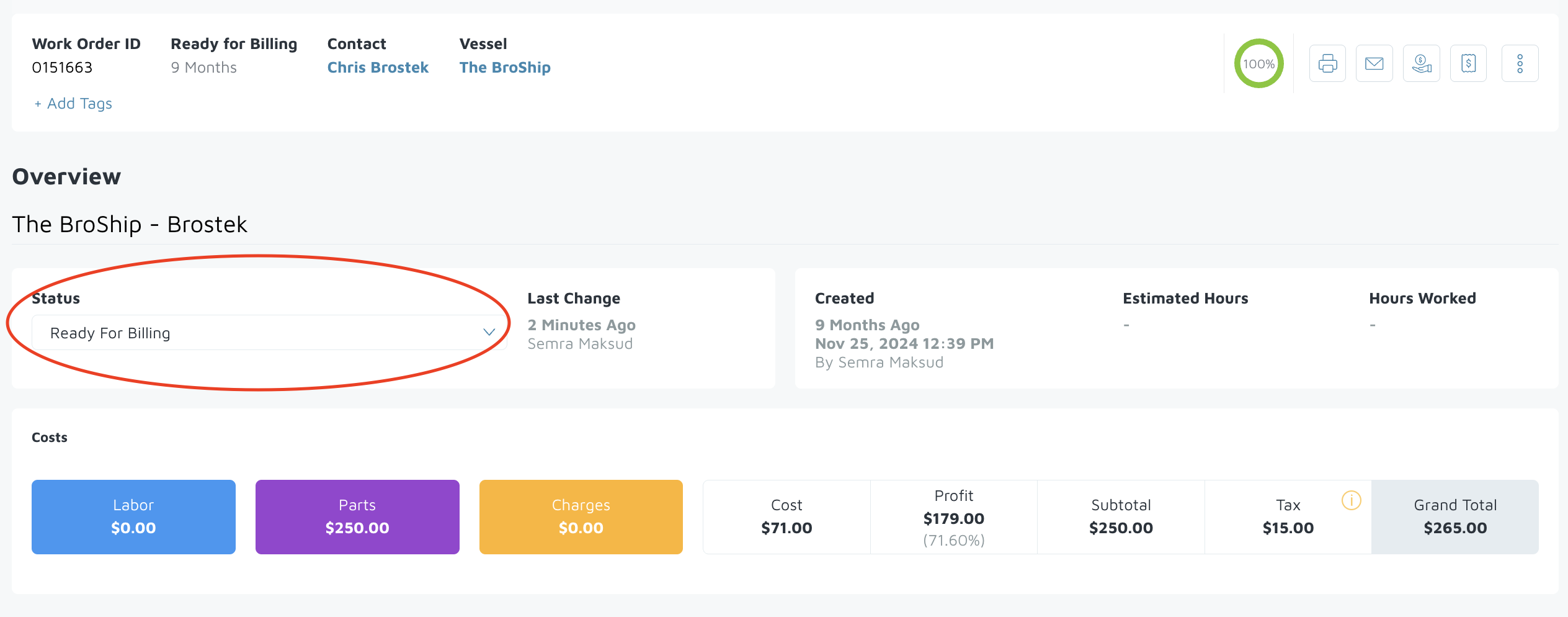
- The work order should be reopened.
Verification: The work order will reopen and its status will update to Ready for Billing.