
- "I added an item in a job template, and I'm unable to change the price on the template."
Resolution Steps
- To update pricing on an item for future pricing on inventory
- Navigate to Inventory > Items and locate the item.
- Open the item record and update the price on the inventory item itself. How To Update the Sales Price of an Inventory Item
This will automatically update the price reflected in the job template.
- If you need to change the price only for a specific job instance, add the job template to a work order.
- Click on the job and click on the pencil to 'override' the price.
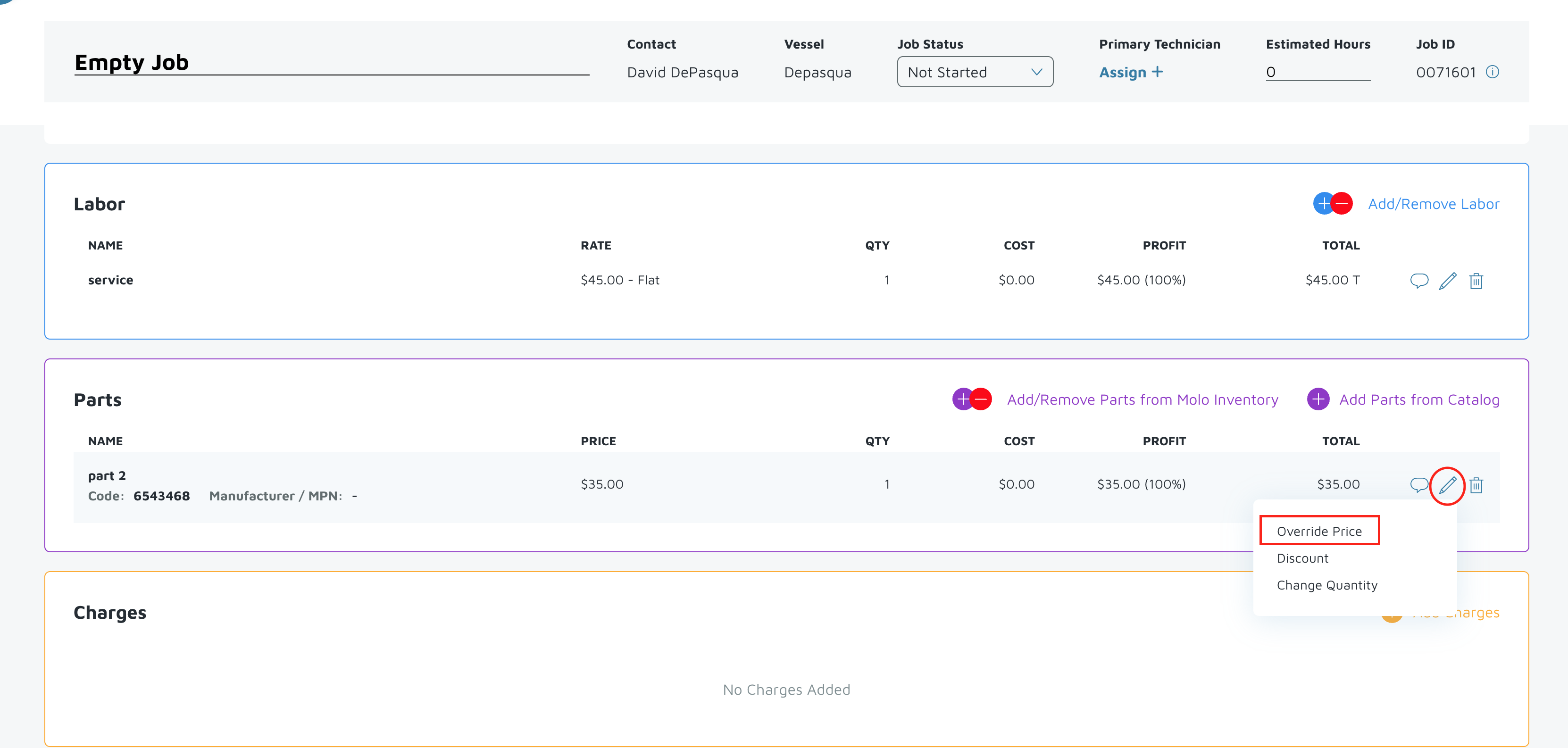
Verification: The item's price should be updated.