
- "How do I update a reservation’s status in Molo?"
Resolution Steps
- On the menu bar, click Spaces.
- Select Reservation List.
- Choose the reservation from the list of reservations.
- On the Reservation Preview page, locate Reservation Status.
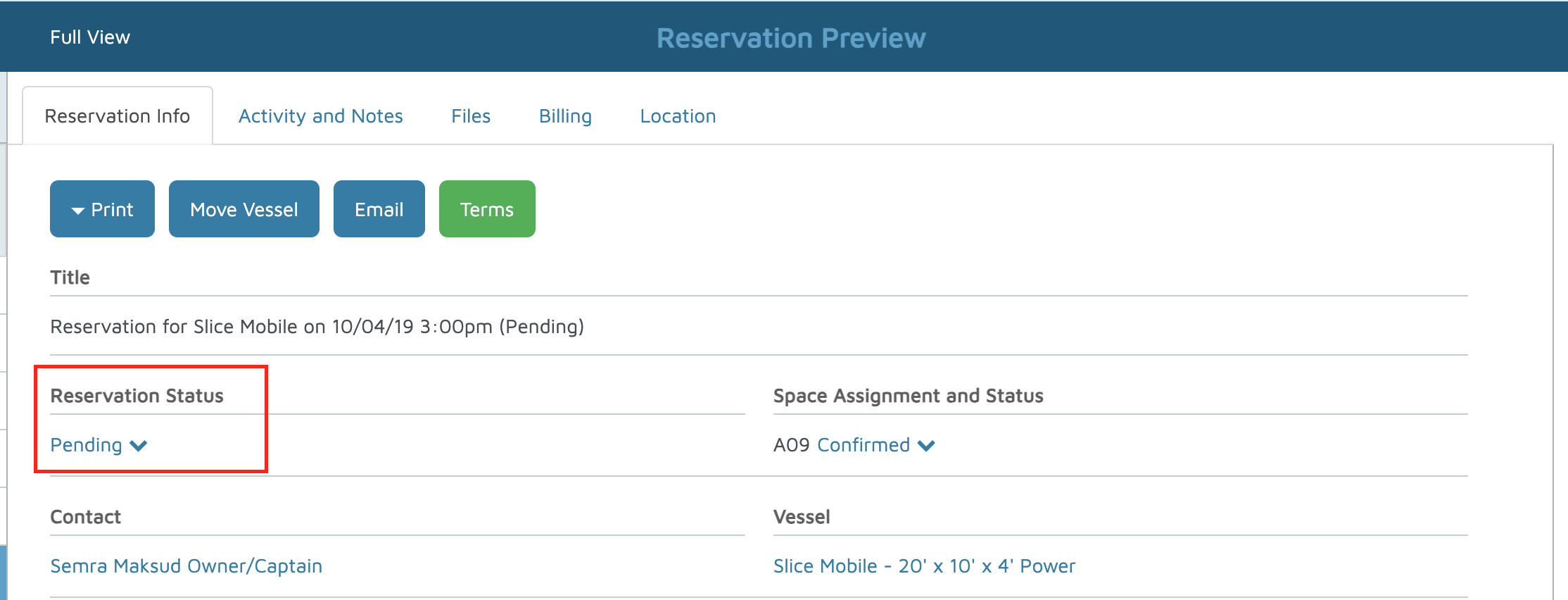
- Click the down arrow and select the desired status:
- Pending – Reservation is in an unconfirmed state.
- Confirmed – Customer has confirmed the reservation (verbally or via payment).
- Checked In – Guest is in their slip and reservation is active.
- On Leave – Long-term slip holder is away temporarily, slip available for short-term use. (How To Use the On Leave and Scheduled On-Leave Reservation Status)
- Checked Out – Reservation has ended and guest has departed.
- Cancelled – Reservation is void (mistakes in rates/dates, guest cancellation, etc.).
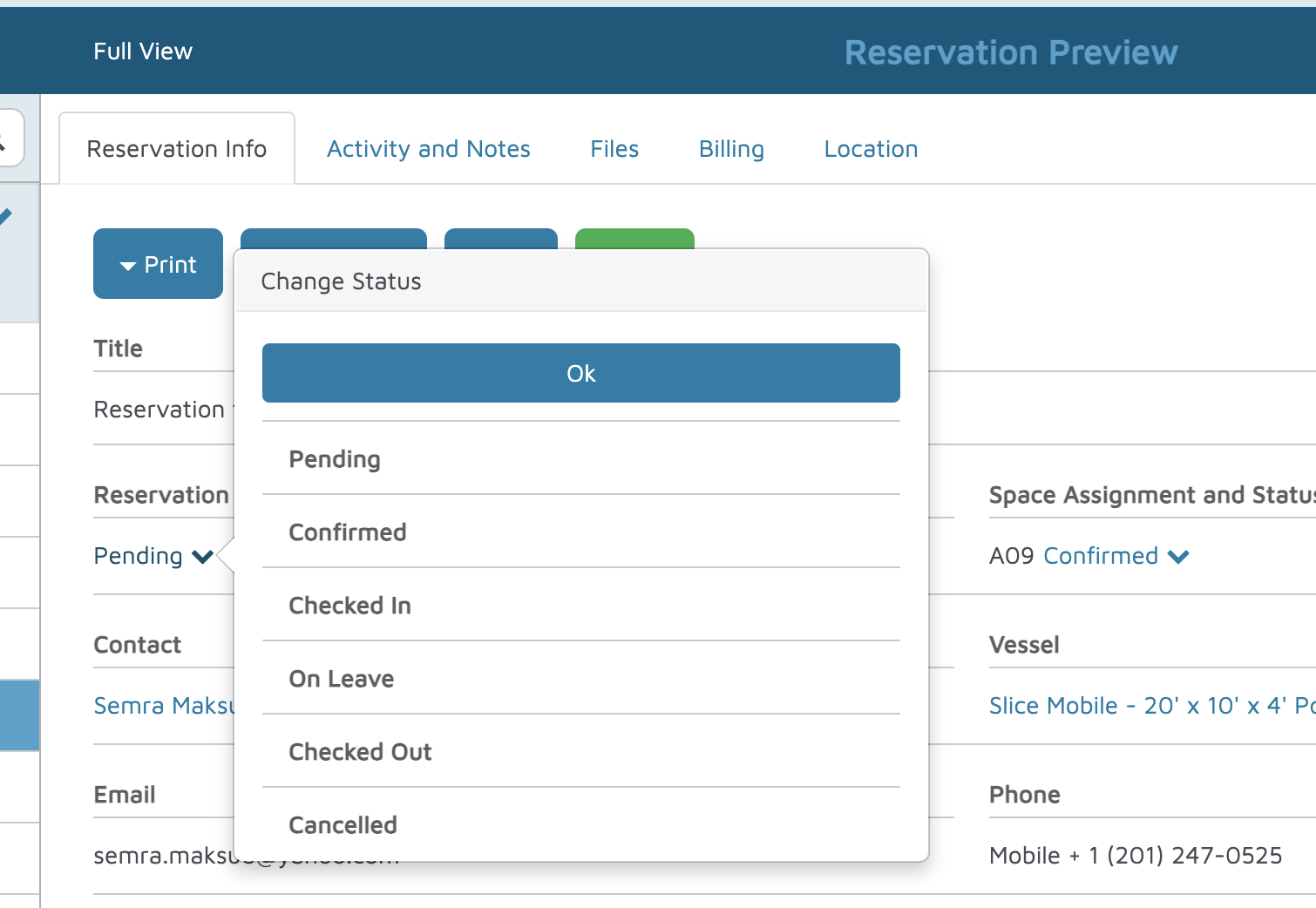
- Click OK to update the status.
Verification: Verify the client understands how to update a reservation status.