
- "How do I invoice a service work order?"
- "How do I send an invoice after a work order is complete?"
Resolution Steps
When a service work order is complete, change the job status to Ready to Invoice.

On the top right, click the dollar sign ($) icon.
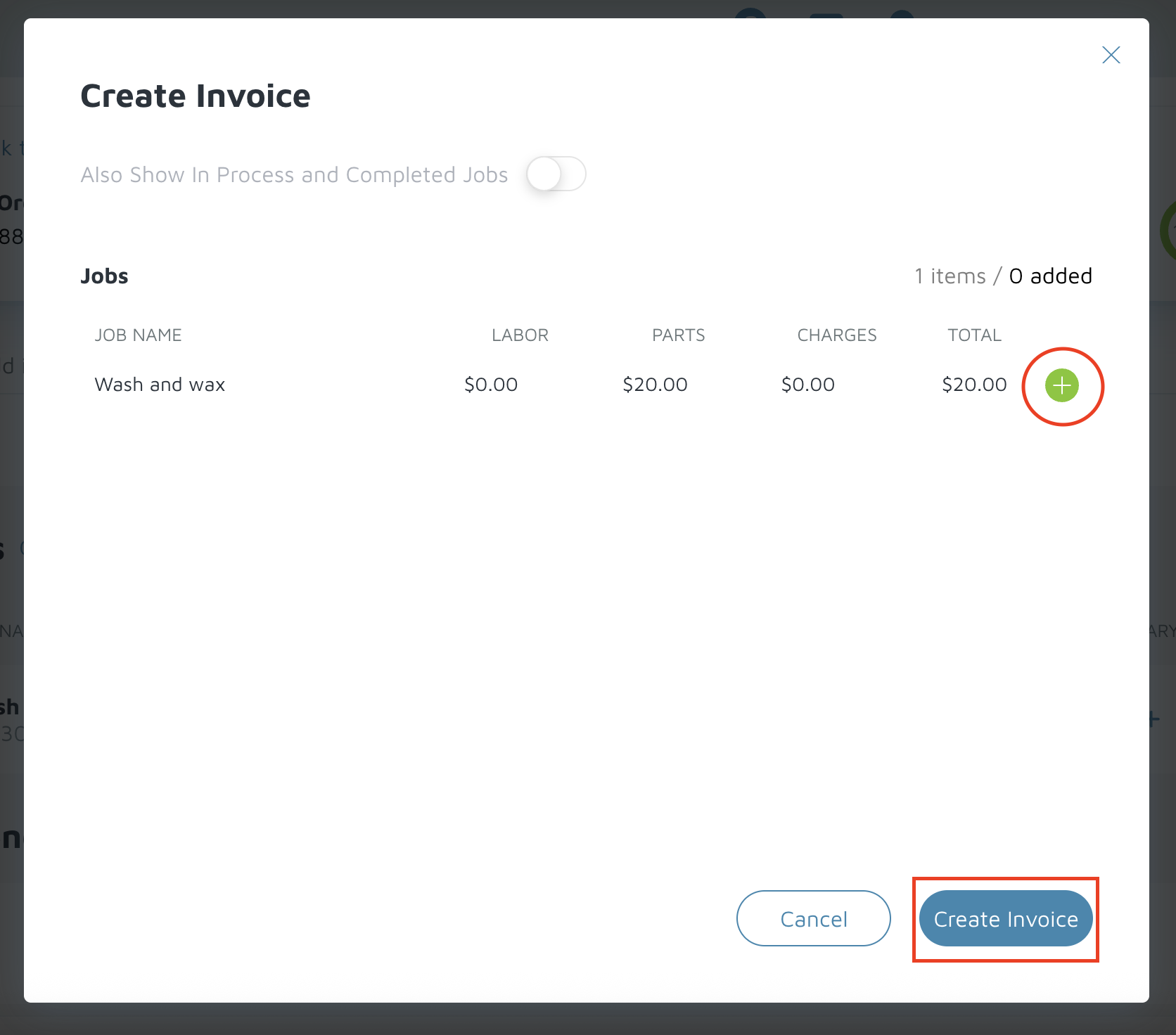
In the pop-up window, click the plus sign (+) to add jobs to the invoice.
Click Create Invoice.
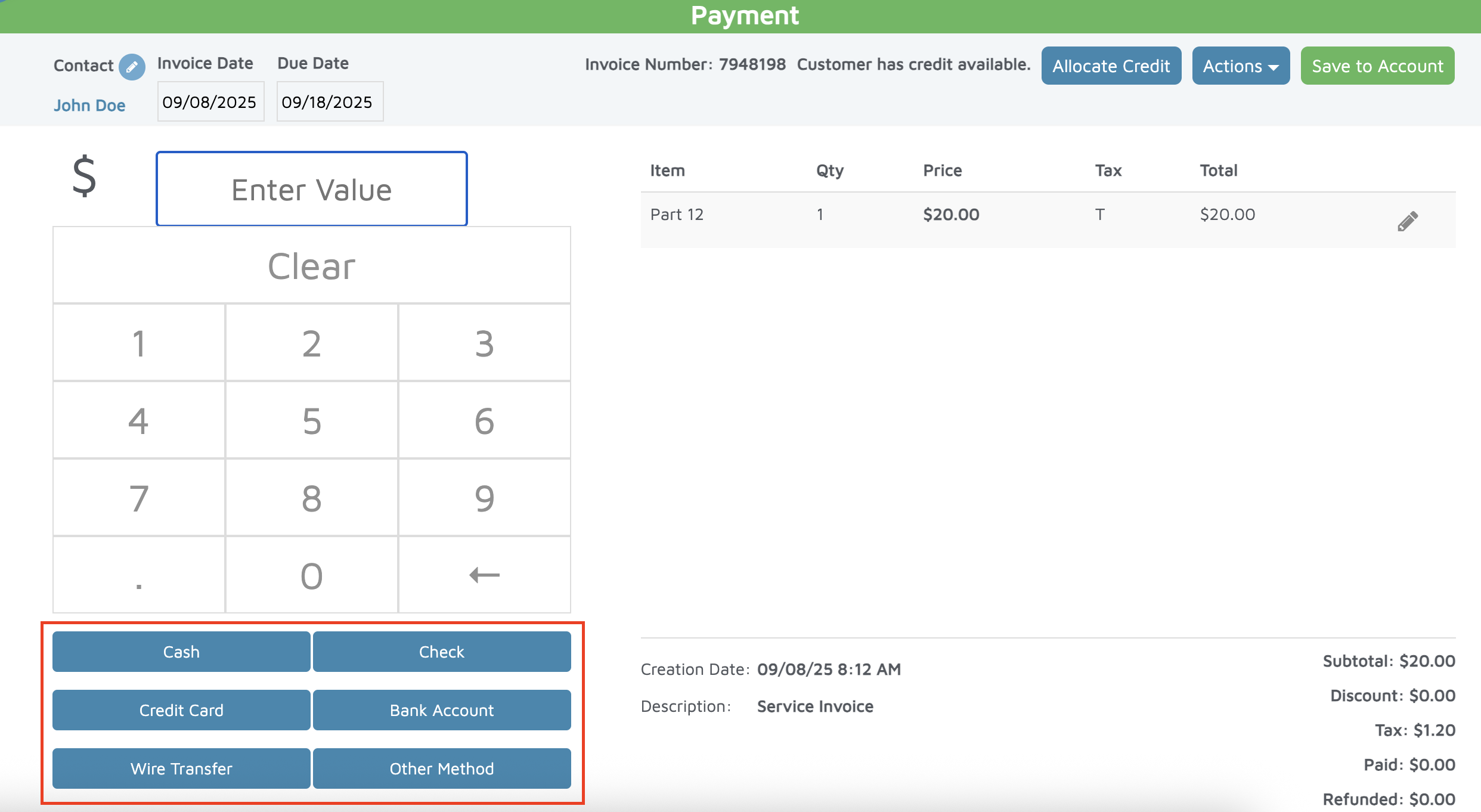
You’ll be taken to the POS screen, where you have two options:
Take Payment Immediately:
Select a payment method (cash, check, credit card, or bank account).
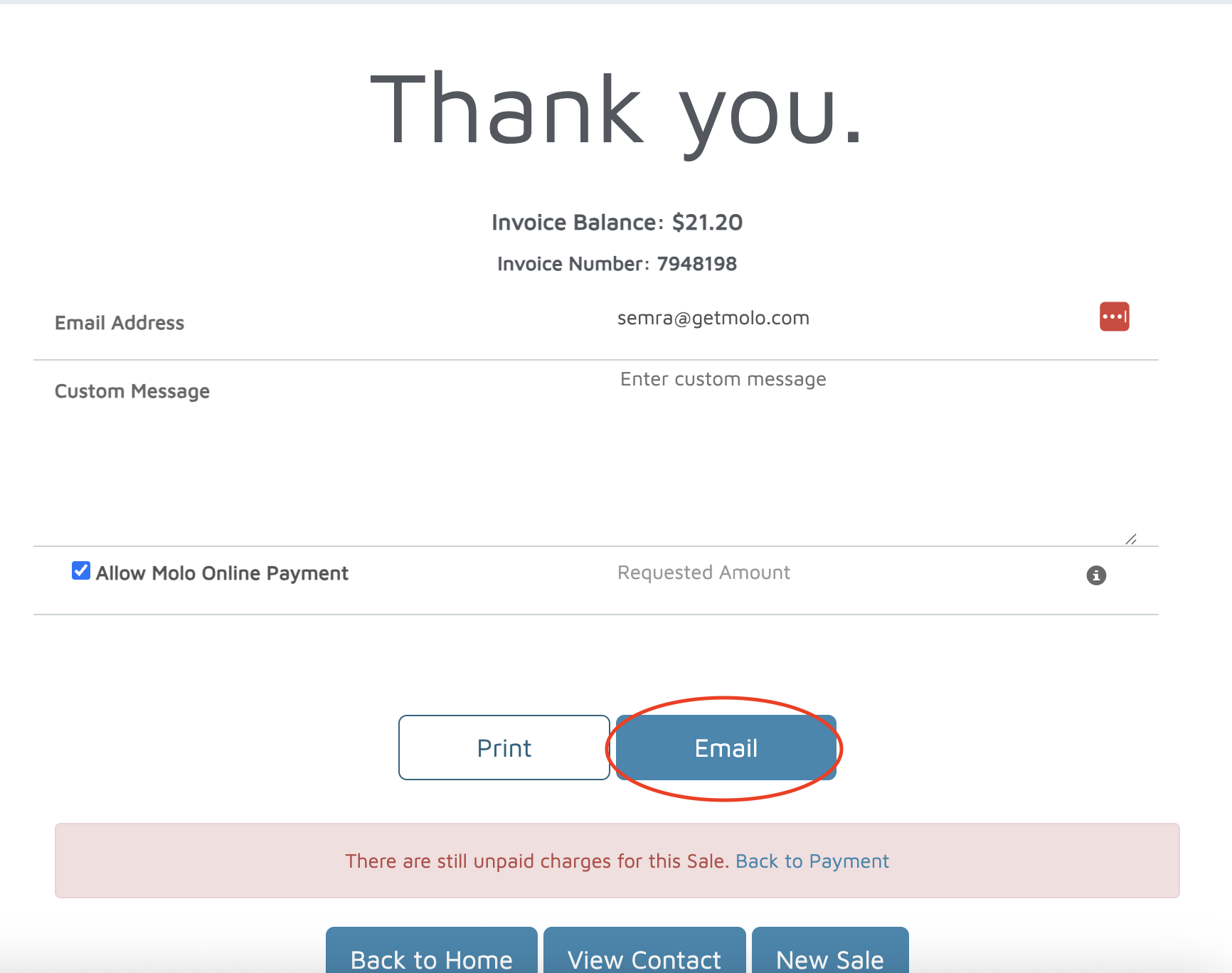
Send Invoice for Online Payment:
Click Save to Account in the top right.
Then click Email, which sends the invoice to the customer for online payment.
Verification: The invoice should be under the customer's account, and if an email was sent, it should appear under the emails tab.