
- "How can I email and invoice to be paid online?"
- "What are the steps to email customers an invoice to pay online?"
Resolution Steps
Go to Contacts and Vessels.
Click on Contacts.
Select the contact you’re looking for.
Under Account, click on the invoice you’d like to email.
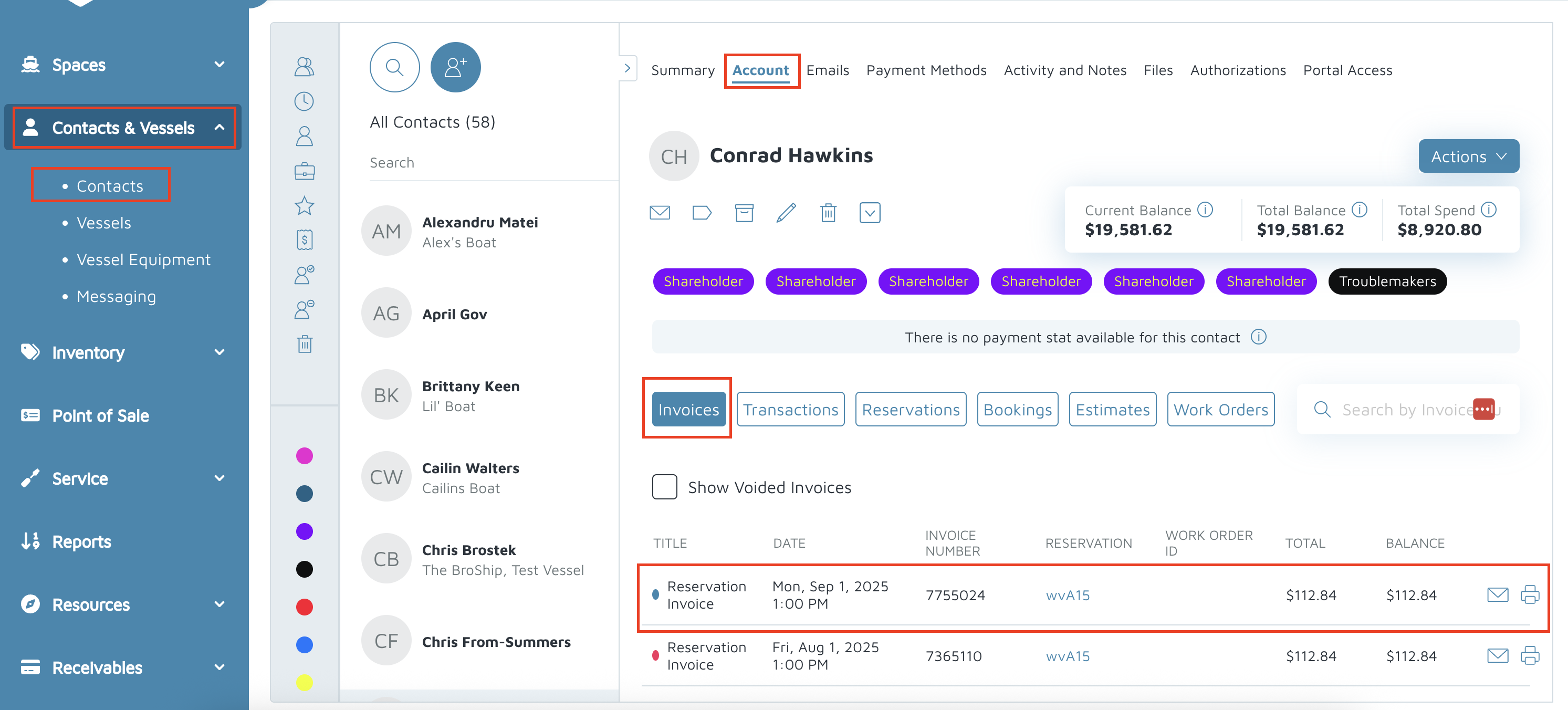
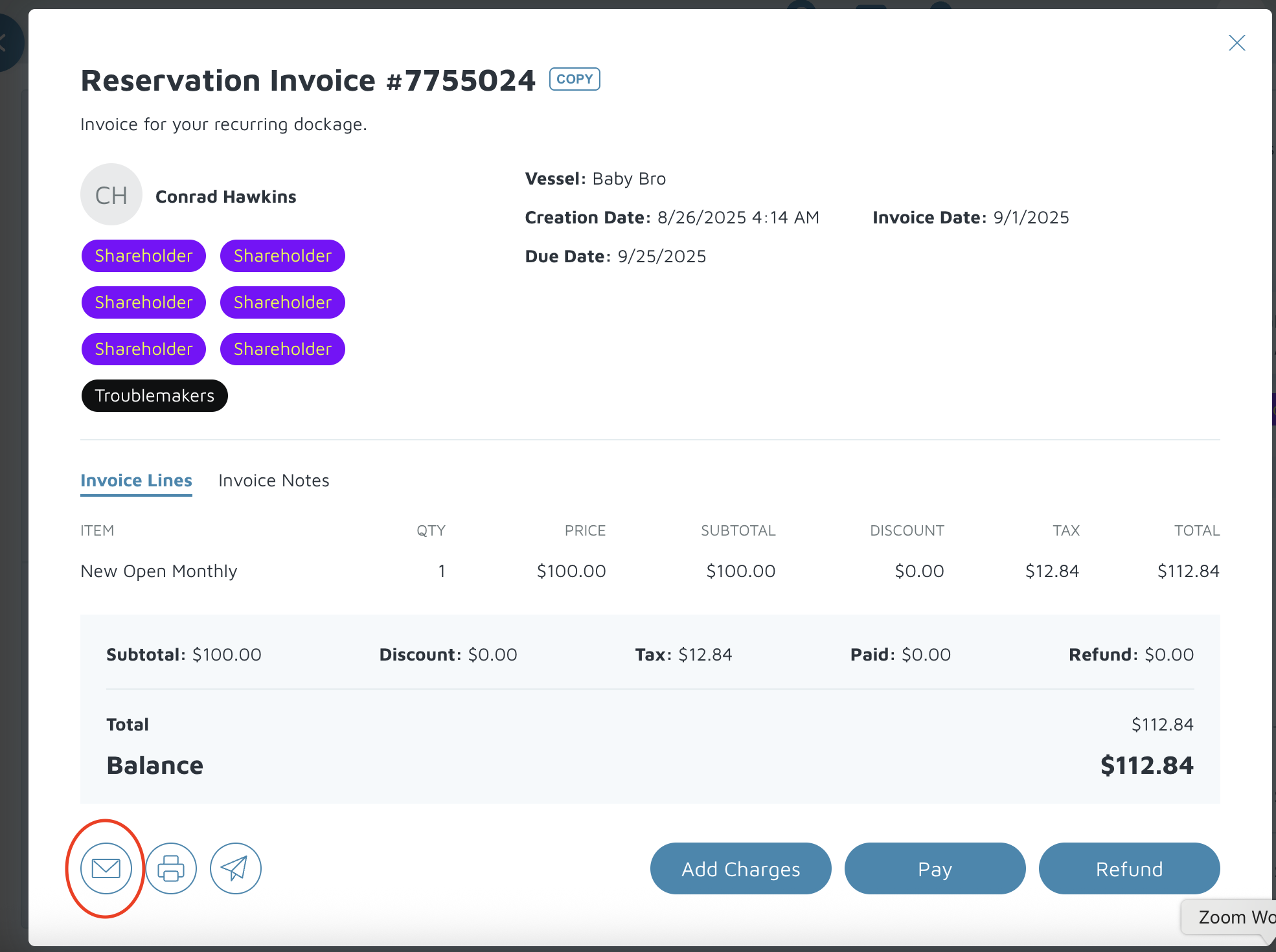
A pop-up will appear.
At the bottom left, click on the envelope button.
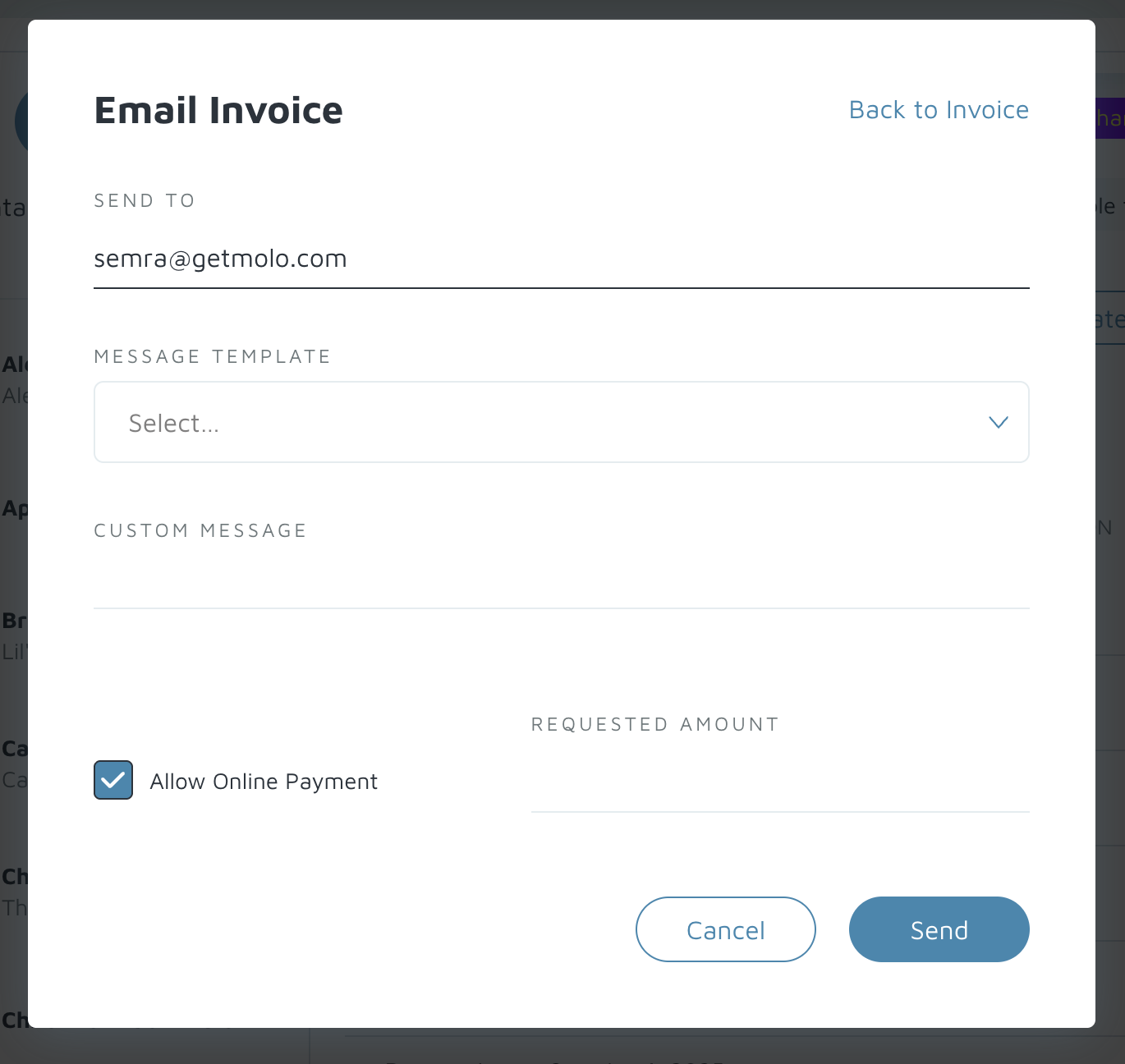
In the email pop-up:
The customer’s email will automatically populate.
Add a custom message if needed.
Make sure Allow Payment Online is checked.
Click Send to email the invoice.
Verification: Under the email tab, you should see the email you just sent.